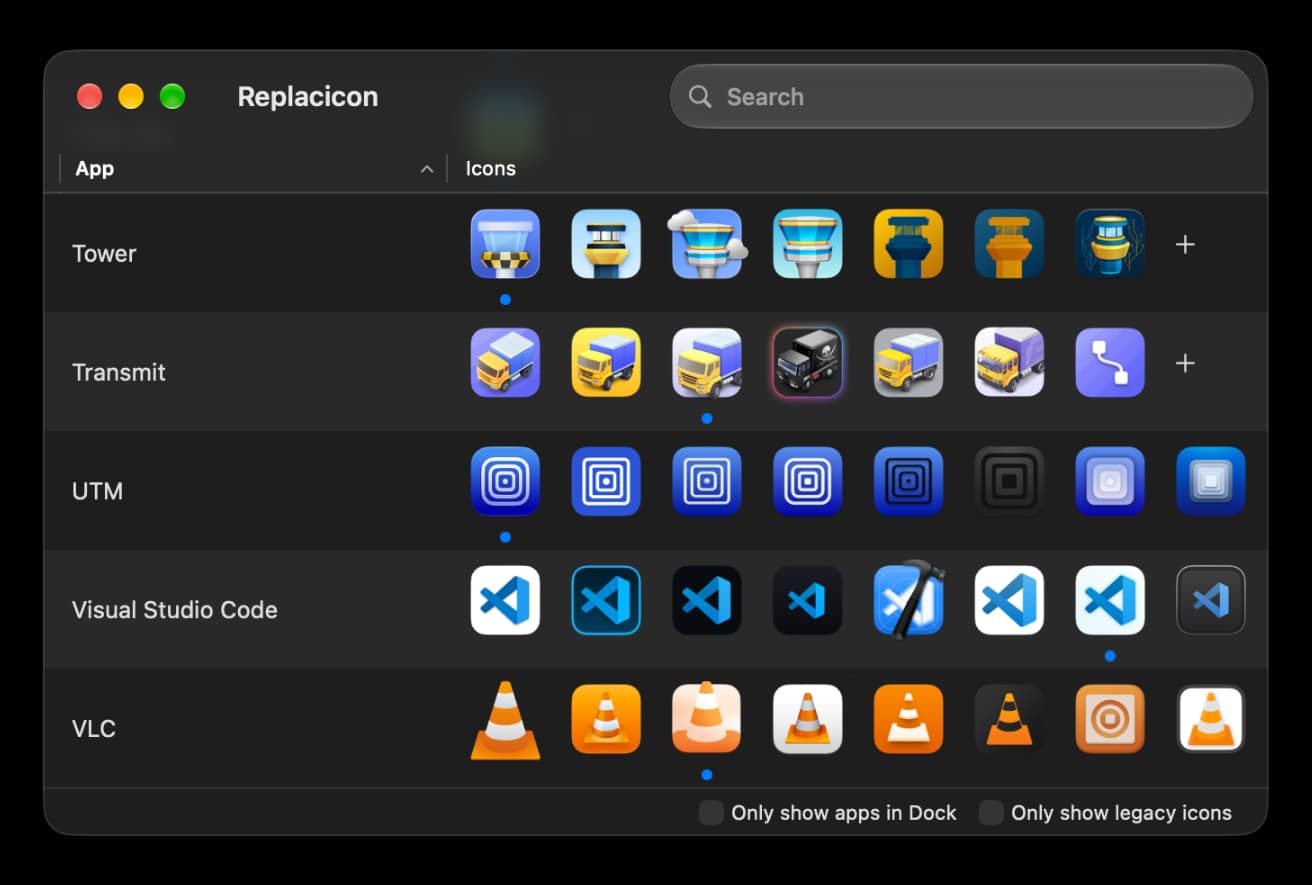
Sometimes older Mac app icons in your Dock look a bit inconsistent with the rest of the system, and sometimes you just want to customize app icons to your own liking. Replacicon makes it easy to find, change, and replace app icons on the Mac. It scans online sources containing thousands of replacement app icons for each of your installed macOS apps and shows them all to you in one place. In just a click, you can change your third-party app icons so they better reflect your own tastes. On macOS Tahoe and macOS Golden Gate, you can even free your app icons from the icon jail. It uses machine-learned models to tell which icons are most in need of an update, and watches for app updates in the background so your customized icons aren't lost. You can also generate replacement icons with Apple Intelligence and Image Playground. Features - Explore thousands of alternative icons for hundreds of Mac apps from sources like macosicons.com - Search all installed apps, or only the ones in your Dock - Restore original icons if you change your mind - Keep your alternate icons across app updates automatically - Hide apps and icons you don't want to see - Import your own icons from disk - Native app for Intel and Apple Silicon Macs - One-time purchase, no subscription
• Added 1,800 new icons • Improved performance and stability
| Initial release | |
|---|---|
| Price | $7.99 |
| Platforms | Mac |
| Category | Utilities |
| Website | replacicon.app |
| Compatibility | |
|---|---|
| Mac | macOS 13 |
LaTeX, Markdown flash cards
Ad