Function is an iPhone keyboard that types like the stock one, with AI tools on a bar above the keys: autocorrect, predictions and dictation. Add it in Settings > General > Keyboard > Keyboards and turn on Allow Full Access for the AI features.
Swifteer gathers the iOS community's writing in one place. Follow the sources you read, get a notification the day a new article is out, and keep the ones worth keeping in Saved and Read Later. Thanks for testing before launch. Swifteer Plus purchases in TestFlight are free and never charged, so try the subscription too.
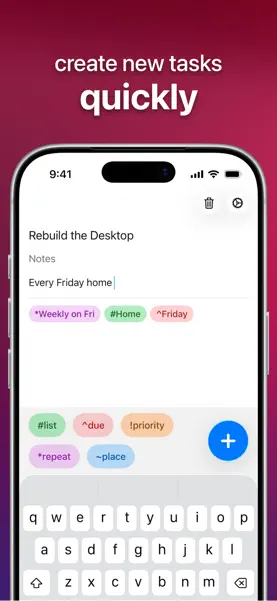
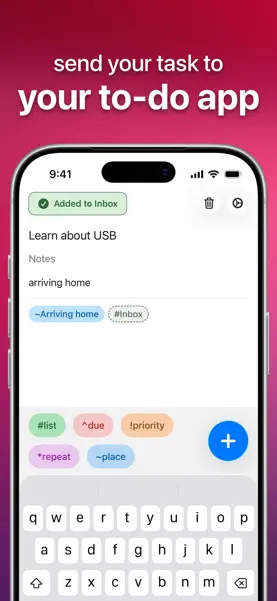
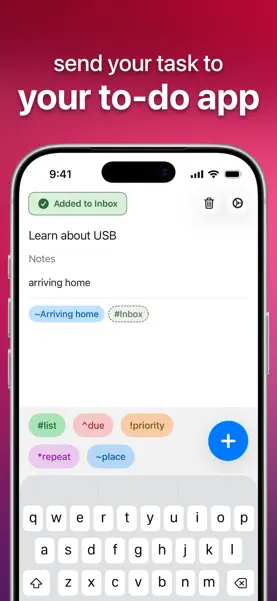
DropTask lets you quickly create new tasks and send them off to Apple Reminders, Todoist, or OmniFocus. Write your task's name and details in plain language, and DropTask will flag the details and send them all to your task manager.
Please try making Hario V60 or Chemex. The current recipe is set to a 1 : 17 ratio for coffee : water. I'll be exposing this as a recipe setting in an upcoming version.
Plate is BeReal for food - a diary shared with friends. Snap what you ate. See what your friends had. Stay in touch without pressure. Not an Instagram. Not a popularity contest. Not influencer food. Share the real food here. Pizza with ketchup. Plain tuna pasta at midnight.. food nobody posts on Instagram. Invite friends - Plate is much better with friends. Early free public TestFlight beta. Looking for feedback - use the card inside the homepage.
Wonder Coffee is your personal coffee journal and guide to specialty coffee places. Keep track of your coffee beans, save brewing recipes, and record the cups you make. Discover cafés, mark places you want to visit, and remember your favorites. During the beta, please share feedback on everyday use, anything that feels confusing, and any bugs you encounter. Screenshots and a short description of what happened are especially helpful. You can send feedback directly through TestFlight.
First version of Brim Browser with automatic status bar avoidance.
Mark is a calm Mac notes app for markdown files that already live in a folder you share with someone else — on OneDrive, iCloud Drive or in a git repo. Point Mark at that folder and you get a clean sidebar, file list and editor on top of your existing files. The files on disk stay the source of truth: properties in YAML frontmatter, links as [[wikilinks]], nothing locked into a proprietary database, so the same folder keeps working in Obsidian, Finder or Claude Code.
Brew: Better RSS Reader.
This is an accordion for iPhone Duo.


Phridge is a little fridge that lives in your phone. Cover the door in notes, magnets and photos of your loved ones, fill the shelves with groceries, and knock things over just to hear them land. THE DOOR. Tap the pen to write a note, type it or draw on it. Tap the camera to snap a photo or pick one from your library to keep it on the fridge. Add magnets, or spell out words with letter magnets. Tap the name on the door to call your fridge whatever you like. Drag anything around, and drop it in the trash can when you're done with it. THE INSIDE. Groceries, from milk cartons and fizzy drinks to ice cream tubs and a whole salmon. Pick things up and move them around the shelves. Drop them on the floor: cans pop, fizzy bottles burst, cartons splat and glass shatters. MADE FOR IPHONE DUO. Close your iPhone Duo to shut the door and open it to look inside.


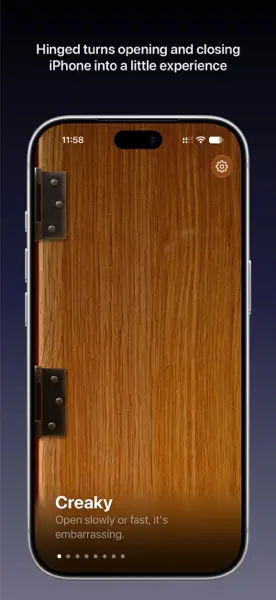
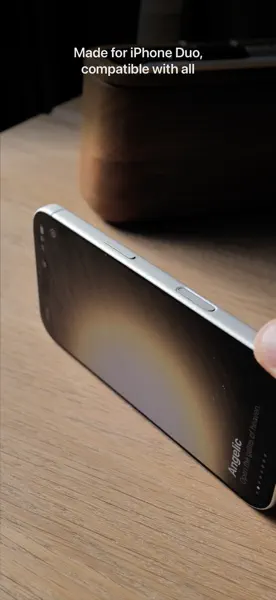
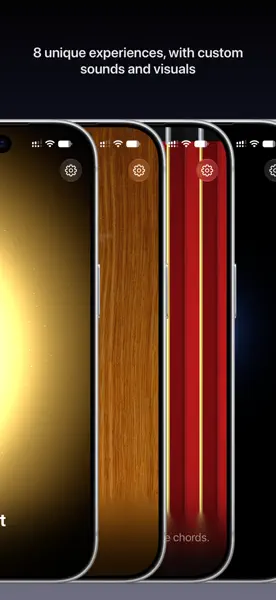
Hinged turns opening and closing iPhone Duo into an experience. Fold it slowly and an old door groans. Flip it open and a chest of golden light sings. Every angle and every speed changes the sound, so no two openings are the same. Free to play. Creaky: an old wooden door with two rusty hinges. Open it slowly or fast; it's embarrassing either way. Magic Chest: a slit of golden light that floods out as it opens. Aaaaaahhhhhhhhh. Accordion: red bellows that stretch and squeeze. Open and close to play the chords. Scream: your phone screams every time it moves. It hurts every time. Unlock more, one at a time. Airlock: crack the seal and vent steam through the hinge. Sword: flick it open to draw the blade. Mechanical: sci-fi doors that slide apart. Fully motorized. Allegedly. Theremin: tilt the screens to play the pitch. No iPhone Duo? No problem. On any other iPhone, place it face down on a table and lift it by its side. The phone's tilt becomes the hinge. Made with care. Sounds play the moment you move, following the hinge as it opens and closes. Every page has its own animated scene that moves with the hinge. Full VoiceOver support, Dynamic Type and Increase Contrast. No ads, no accounts, no tracking. Swipe to pick a sound, then open and close to play.
Ik ben al maanden bezig met een nieuwe app, en hij is totaal anders dan alles wat ik tot nu toe heb gemaakt. Een soort love letter aan Nederland, en aan al die dagen dat we hier door de regen lopen en fietsen: een regenapp, speciaal gemaakt voor Nederland. En zodra je hem hebt ingesteld, heb ik het zo gemaakt dat je hem nooit meer hoeft te openen. Ik leg het even uit. Als je hier woont, weet je dat iedereen een fiets heeft, en een buienapp. Handig om te weten wanneer je het kantoor uit moet, de hond moet uitlaten, of nog een rondje kunt bestellen. Het probleem is dat de grootste buienapps je locatiegegevens verkopen aan adverteerders en databrokers. En wat krijg je ervoor terug? Een beetje middelmatige, ouderwetse meldingen op basis van gratis overheidsdata. Daarom heb ik Droog gemaakt: een app die je droog houdt én je privacy beschermt. Zo werkt het: Droog verschijnt vanzelf op je lockscherm als er binnen een uur regen komt, en verdwijnt weer als de bui voorbij is. Je hoeft dus niks te openen. Je kunt Droog ook als widget op je lockscherm of Apple Watch zetten. Je exacte locatie blijft altijd op je telefoon, en de servers van Droog gebruiken zo min mogelijk data. Het ontwerp is geïnspireerd op risoprint, een beetje onnauwkeurig, net als radardata. Droog is gratis, inclusief de widgets en Apple Watch-complicaties. De automatische meldingen op je lockscherm zitten in Super Droog. Dat kost €0,99 per maand, zodat ik de servers kan betalen. Iedereen krijgt vijf gratis regendagen om Super Droog te proberen, zonder proefabonnement. Droge dagen tellen niet mee. Droog zit de komende weken nog in beta. Ik zou het echt superleuk vinden als je het wilt proberen en me laat weten wat je ervan vindt, via de chat in de app. Geniet nog even van de laatste zonnige dagen, en blijf droog! ※ English ※. I’ve spent the last few months making a new app, and it’s unlike anything I’ve made before: a love letter to the Netherlands, and to all those days walking and biking through the rain here. It’s a rain app made specifically for the Netherlands, and once it’s set up, I’ve made it so you never need to open it again. Let me explain. If you live here, you know everyone has a bike and a rain app. It’s how you decide when to leave the office, walk the dog, or order one more round. The problem is the biggest rain apps sell your location data to advertisers and data brokers. And what do you get in return? Mediocre, old-fashioned alerts built on free government data. So I made Droog, an app that keeps you dry and keeps your location private. Here’s how it works: Droog shows up on your lock screen when rain is coming within the hour, and disappears once it’s passed. Nothing to open. You can also add it as a widget on your lock screen or Apple Watch. Your exact location never leaves your phone, and Droog’s servers use as little data as possible. The design is inspired by risograph prints, a little imprecise, like radar data itself. Droog is free, including widgets and Apple Watch complications. The automatic lock screen alerts are part of Super Droog, €0.99 a month to cover the server costs. Everyone gets five free rainy days to try it, no trial subscription, and dry days don’t count. Droog is in beta for the next few weeks, and I’d really love it if you tried it and told me what you think through the in-app chat. Enjoy the last sunny days, and stay dry!
Mythspire is a portrait, one-thumb survivor game with the charm of a toy box and the crunch of an arcade. You steer a hero through swarms of monsters, and your weapons fire on their own. Survive as long as you can across a thirty-minute run made of five chapters, ending in boss fights. Everything is done with one thumb: drag to steer, flick to dash, and double-tap to fire your hero's ultimate. Level up during a run to pick weapons and passives, open chests for rewards, and unlock new heroes. Each hero has its own look, starting weapon, trait and ultimate. The game is single-player, works offline, and has no accounts, purchases or ads. No login is needed. This is an early test build. Feedback is most useful on how the controls feel (steering, the flick dash, double-tap ultimate), whether the screen is readable when the crowd gets thick, difficulty, and anything that crashes, stutters or looks cut off on your phone or iPad.
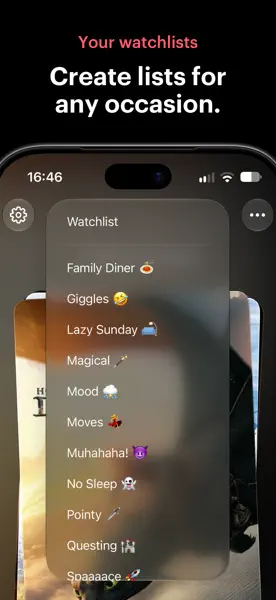
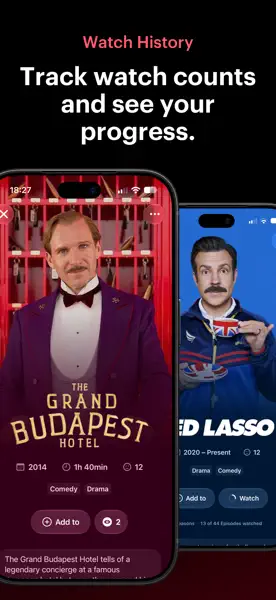
No more "What should we watch?" debates, no more endless scrolling through streaming providers. Let TV Knight help you decide by shuffling your watchlist like a deck of cards. Or, if you feel more adventurous, swipe through the titles with intent and pick the one that matches your mood. Where most movie and tv show tracking apps are focused on discovery and stats, TV Knight has your watchlists at its heart, available at app start. TV Knight’s highlights: ■ Let TV Knight pick a movie or show from your watchlist. Fill your watchlist with movies and shows and tap the “Shuffle” button. TV Knight will go through your list and pick the one to watch. It’s that easy. ■ Thoughtfully flick through your watchlist. Swipe left and right through your movies and shows. A real treat to see each title in its individual glory and take a moment to decide, instead of feeling the urge to scroll through an endless list. ■ Multiple watchlists. Whether you’re watching with your family or with friends, or having a binge night by yourself, you can make a list for that. And don’t let anybody stop you from creating that guilty pleasure, tearjerkers, or rewatching list. ■ Watch tracking. Mark titles as watched to track your watch history. Mark individual episodes as watched to track your progress on a show. ■ No account needed. Download TV Knight and let your quest commence. There is no need to create a profile. ■ iCloud sync. TV Knight uses iCloud as its stronghold to back up and sync your lists across devices. ■ Easily import. Add a movie or show by simply sharing them from Letterboxd, IMDb, or your streaming app or website with TV Knight. You can also import entire lists or your watch history from other services. ■ Artwork like enchanting frescoes in a castle's Great Hall. TV Knight honors a title’s artwork and ambiance to set the mood for a fresh pick or a rewatch you didn't know you wanted. ■ Perfect for individuals or groups who can't decide on what to watch. No need for further explanation. Look, we've all been there, thirty minutes of scrolling through a multitude of streaming services. Changing your mind. Scrolling some more. By the time you finally decide, you could've already watched half a movie or a couple of episodes. And all the while, your spaghetti grew cold. But look who's here to save the day...or…night: TV Knight! Your noble companion in the war against decision paralysis, helping you to stop scrolling, and start watching. —. Read the privacy policy here: https://www.timdegroot.co/tvknight/privacy-policy. Read the terms and conditions here: https://www.apple.com/legal/internet-services/itunes/dev/stdeula/.

Trimothy is the Apple native, lightning fast, get-in-and-get-out video editing app of my dreams. The idea is simple: I don't want to create a whole project and library for every little video edit I need to make. Sometimes I just want to quickly combine two videos together, tweak the playback screen, change the audio or music, or add captions to a video. With Trimothy you can do all of these things, export, and then close it out leaving no trace behind. The app is, generally speaking, ephemeral (though I could add some concept of saving project files if that's something people really want.). You can add files by importing, dragging and dropping, copy and pasting, right clicking and "Open with", or from the share sheet.
Turn your gameday posts into scroll-stoppers. With one tap, GameFrame automatically finds the teams, score, and venue of your game and turns your photos into meticulously detailed cards that you can post, save, or share.
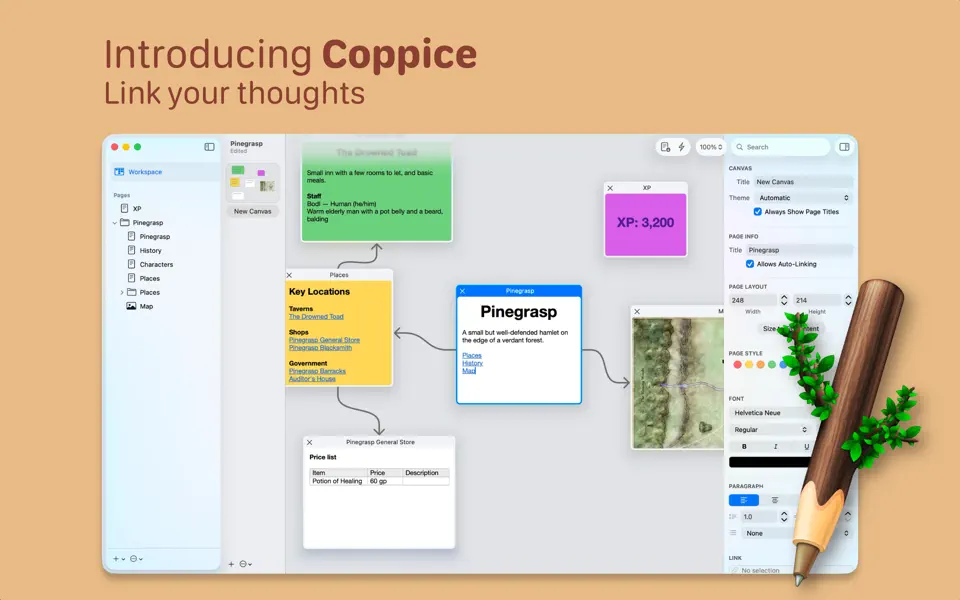
Coppice allows you to lay out your thoughts and ideas on a canvas and view the connections between them.
Sunwake is a sunrise alarm clock for iPhone. In the evening a sunset slowly dims the screen, at night it stays black with stars, the moon and a faint red clock, and before your wake time a sunrise slowly brightens it. The alarm is a system alarm and rings even when the app is closed. Please test especially: 1. A night on the charger: set an alarm, tap "Good night" in the evening, plug in your iPhone and leave the app open. 2. A night without the charger: how much battery did the night use? 3. The sunrise: does it feel natural, does it wake you gently? 4. The alarm with the iPhone locked: does it ring on time, even with the app closed? 5. The worlds, especially New York and Northern Lights: what do you like, what looks odd? 6. The real sky ("Real sky" switch in the alarm): do clouds, rain, snow or fog match the weather outside? 7. The test purchase: in the beta, Sunwake Pro is a free test purchase, nothing is charged. Every world is visible, seasonal ones included. Quick try: "Preview (20 s)" shows a whole night in 20 seconds, "Test with alarm (2 min)" a short night with a real alarm. The black screen at night is intentional, not a crash. To end the night early, touch and hold the screen for 1.5 seconds. No account, no ads, no tracking. Send feedback as a screenshot right in TestFlight or to werraweb@gmail.com.


Sumi is a native outliner for Mac, iPhone and iPad that works directly on your Logseq Markdown graph: plain files in a folder you choose, or in iCloud Drive. No database migration, no account, no sync subscription. Journals, pages, links, backlinks, block references, tasks, queries, namespaces and properties work as in Logseq, and the files stay readable by Logseq, Obsidian and any text editor. This is a beta. Sumi edits your files in place, so please try it on a copy of your graph first, or start with the sample graph. Running Logseq on the same graph at the same time is not supported: close one before using the other.
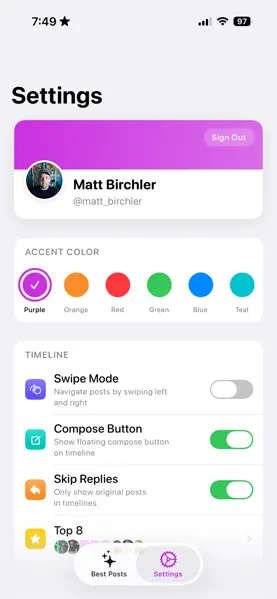
Get the best of Mastodon without getting sucked into the feed.

A long time ago from a developer far, far away… Kyber is a laser sword simulator for your iPhone and Apple Watch. Incredibly accurate motion controls allow you to hear and feel the warm buzzing and swings of this iconic movie prop. Smooth swing: move your device around and the sounds will accurately respond. Blaster Deflect: Tap the screen to hear a blaster deflect. Iconic ignition and retraction sounds. Includes 4 different sabers, each with its own sound profile, effects, and color. All sound effects created by the legendary Kyberphonic.



An RSS-enabled and browser-focused bookmarking app that helps you keep track of your favorite sites. Allows users to add favorite or frequently visited sites, monitor when they have new content via RSS feeds, and quickly visit those sites. Includes an optional Safari extension to monitor when and how often you've visited your favorite sites and mark RSS items as "read" based on browser visits.
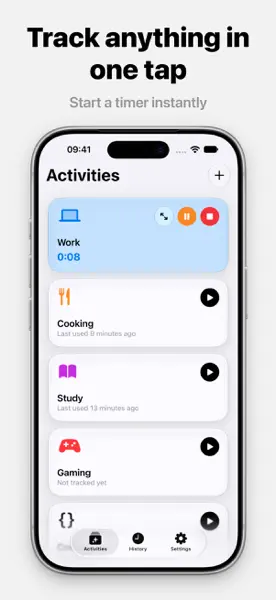
Timee is a minimalist time-tracking app that helps you stay on top of how you spend your time. Track your activities with a simple, workout-style card interface, and keep an eye on your stats over time. Please test the following: 1. Starting, pausing, and stopping timers for different activities. 2. Statistics — make sure your tracked time adds up correctly. 3. Edge cases — very short/long sessions, switching activities mid-timer, app backgrounded. 4. General performance and any crashes. Please report any bugs or feedback directly through TestFlight. Your input helps make Timee better before launch!
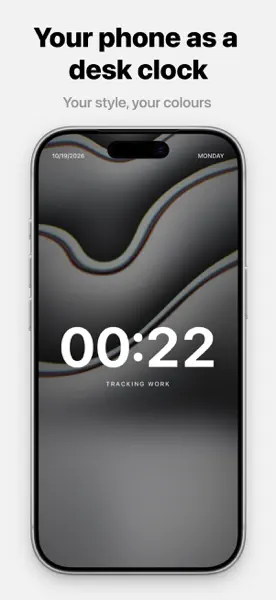

Plantry 8.

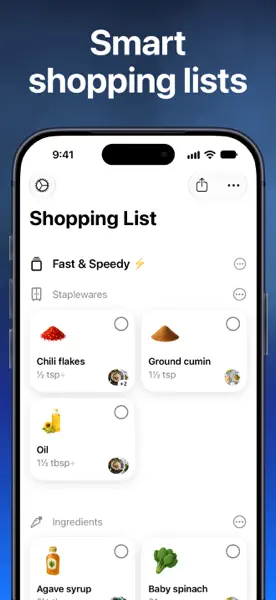

Plug your iPhone into a display with USB-C, or connect via AirPlay, and it unfolds into a full desktop experience. Your iPhone becomes the trackpad. Use a Bluetooth keyboard, or keep typing with the virtual keyboard.
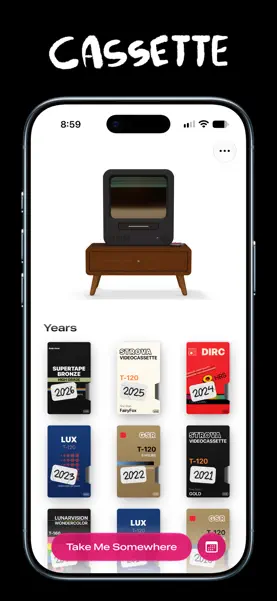
Cassette is a fun way to watch your home videos, just like the good ol days.

Glimshelf is a privacy-first, offline-first comic and manga reader for your own library on iPhone and iPad. It needs iOS or iPadOS 18 or later. The beta is free, with Pro included throughout testing. Start with one of the included sample comics. No account or server setup is needed. Read a few pages, enlarge some lettering, then close and reopen the book. Was anything hard to find? Did you return to the page you expected? If you already use Komga, Kavita or OPDS, you can connect your library too. Try downloading a book and reading offline, then check your saved position after reconnecting. Glimshelf also opens local CBZ, CBR, CB7, PDF and EPUB files. Please use content you have permission to test. Tell us what worked and what got in the way through Send Beta Feedback in TestFlight or support@glimshelf.com. For a problem, include your device and OS version, what you tried and what happened. Use sample content in screenshots and remove private information. Never include passwords, tokens, private server URLs, filenames, titles, page images or account identifiers. This is beta software. Background downloads and sync depend on system scheduling and connectivity. Glimshelf does not upload local diagnostics automatically; Apple/TestFlight may separately collect enabled beta feedback and crash data under Apple's controls. See this build's What to Test notes for the detailed checklist.
Atprosphere - test Bluesky functionality.
Listen to streaming internet radio in a simple, dedicated native app, updated for macOS 27 and Liquid Glass. Sample Broadcasts with a limited library of your own stations for free. Upgrade to the full version to unlock the library limit and add as many of your own stations as you like from the Station Browser, or manually via URL. Browse stations by country, by genre, or by map. Sync your library across iPhone, iPad, Mac, Vision Pro, Apple Watch, and Apple TV with iCloud & Universal Purchase. Browse your library in grid or list view. Listen in Light or Dark mode. Thoughtful mouse & trackpad support provides a great experience on iPad. Perform common tasks from the menu bar, and control playback using keyboard shortcuts. Listen with just your Apple Watch while out and about, or on Apple TV at home. Supports CarPlay on certified devices; stream internet radio on your CarPlay-enabled head unit directly.


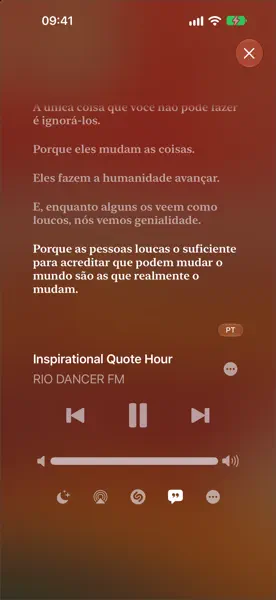
Vestigo is a personal movie and TV tracker built to help you find something to watch and remember everything you've seen. Browse trending titles, new releases, and personalized recommendations built from your watch history. When you're not sure what you want, Pick For Me guides you through a few questions and surfaces titles that fit, or use Describe It if you don't know the name. Track what you've watched, rate it, follow your episode progress, and build collections around franchises and genres. See where something is streaming, watch trailers, and explore the full cast and crew, all in one place. The more you log, the better Vestigo gets. Features. Trending, popular, new releases, and upcoming titles. Personalized recommendations based on your watch history and ratings. Pick For Me: answer a few questions and get a curated selection. Describe It: thematic search for when you don't know the name. Genre browsing and franchise collections. Watchlist and watched tracking with ratings. Episode and season progress for TV series. Streaming availability with prices and direct links. Cast, crew, trailers, and original media. Custom collections and automatic franchise grouping. Content filters, display options, and data import/export.
Mostly Good Metrics is a read-only iOS analytics companion for monitoring product performance on the go. Explore dashboard KPIs and charts, saved insights, funnels, retention, experiments, events, users, and configurable Home Screen widgets. A complete local sample account is available using the App Review instructions.
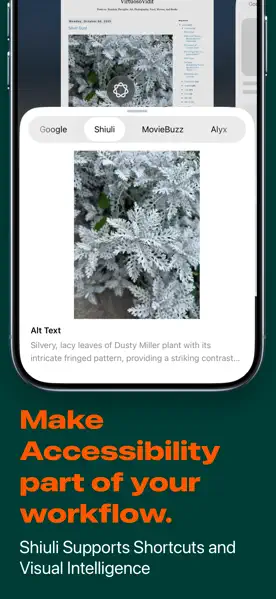
New app. Shiuli: Making it easy to write Alt Text for your images. Click "Pick an image" select the desired image and have it generate an Alt Text for you which you can then copy and use anywhere.


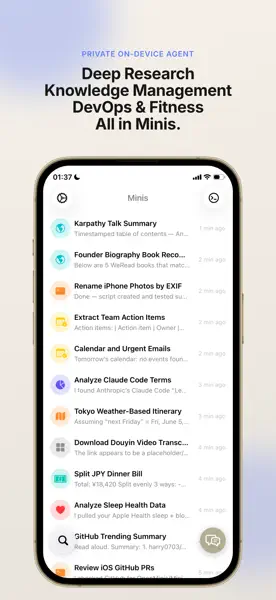
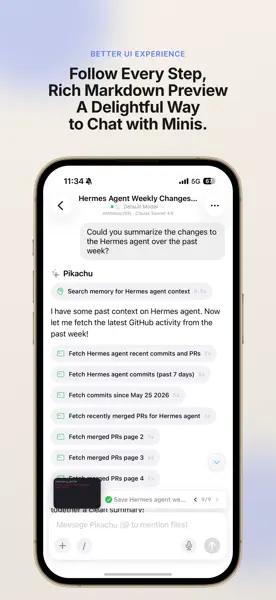
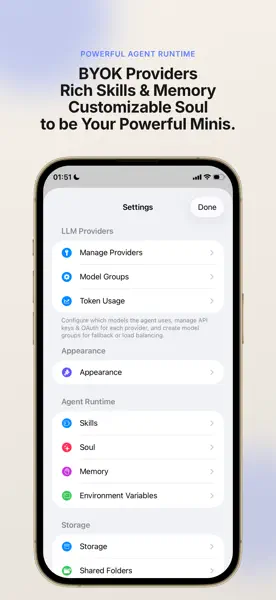
Minis is a local AI agent that goes beyond chat — it takes action. Equipped with built-in shell and browser tools, Minis lets your AI assistant perform real tasks instead of just generating text. It can browse the web, manage files, process data, and automate workflows — all on your device. An Agent, Not Just a Chatbot. Minis provides AI models with local tools — a shell environment and a web browser — so they can complete multi-step tasks autonomously. Ask it to research a topic, organize your files, or process information, and it gets the work done. Fully Local, Fully Private. Everything runs on your device. No data is sent to third-party servers beyond your chosen AI provider. Your files, your conversations, your tools — all stay local. Multiple AI Providers. Bring your own API key and choose the model that works best for you. Minis supports OpenAI, Anthropic Claude, and Google Gemini. Completely Free. Minis is free with no subscriptions, no in-app purchases, and no ads. It doesn't even connect to any server — the only network requests go directly to your chosen AI provider. Most importantly, Minis is fully open source. You only pay for the AI API usage through your own provider account. Built-in Tools. Shell — file management, data processing, and task automation. Browser — web research, information extraction, and page interaction. Media — on-device audio and video processing.
Bulletin AI RSS Reader & Read It Later.


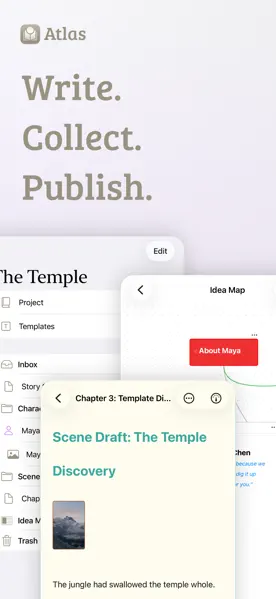
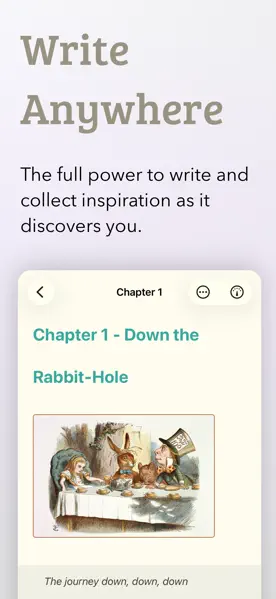
Welcome to Atlas! An app to write with markdown, collect content, and build your own ideas on canvases. Everything is new. So report any issues or feedback, please!

Create New Files with right click in Finder or on Desktop.

Thank you for trying Woolly, a new Mastodon app for iPhone (and soon iPad). This is a very early version of the app, many things are still work in progress or missing. Please send your feedback so we can improve the app together.


Canvases lets you design widgets and update them through Shortcuts.
Chong is an accountability journal for people who start projects and stall. before finishing them. Every task carries a window: date, time, duration. Miss it and the app puts a. short ritual in front of you before you can continue — it names which of five. procrastination patterns stopped you, then walks you to the next move. You can name a witness who sees that you showed up and how much you committed, never a word of what you wrote. An AI coach reads your project state and asks. the questions that expose where you are actually stuck.
Mic Captions turns spoken audio into easy-to-read captions in real time. Use your iPhone or iPad microphone to follow conversations, lectures, meetings, tv shows, and other spoken content. Mic Captions can also translate captions, save sessions for later review, replay recorded audio alongside the transcript, and help you navigate saved content with Topics and Words.
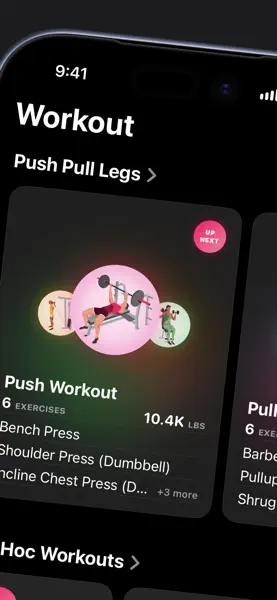
Gym Log is a workout logger app. Core Design & Interface. Native iOS Design: Built with native SwiftUI; looks and feels like a first-party Apple app. Frictionless Logging: Custom input pad to log your sets quicker. Live Activities: Log sets and view timers directly from the Lock Screen or Dynamic Island. Workout Tracking & Planning. Advanced Programming: Supports rep ranges, supersets, RPE, and 1RM percentages. Smart Rest Timer: Adjusts per exercise, follows supersets, and features quick-add/subtract buttons. Workout Notes: Add comments and notes to specific exercises or entire workouts. Presets: Long-press to quickly add customizable warmup or training presets (e.g., 3x5 @ 80%). 1RM & Volume Analytics. Auto 1RM Tracking: Automatically updates your training 1RM when you progress. 1RM Formulas: Includes multiple estimation equations (Epley, Brzycki, etc.) and a tool to fit the best equation to your data. Fractional Volume Tracking: Tracks volume per muscle group, including fractional sets (e.g., bench press counts as 0.5 volume for triceps, etc). Charts & Heatmap: Visualizes training volume via long-term charts, weekly overviews, and a body heatmap. Progress History: Tracks 1RM, max weight, max reps, and set counts over time. Plate Calculator: Quick-access tool for calculating barbell plate loads. Data & Sharing. Local Storage: Built entirely on Apple's Core Data. JSON Backup: Full JSON import and export capability. Markdown Export: Export workouts and templates as markdown files for easy sharing.
Nexus Shell is a native SSH client for iPhone, iPad and Mac, built for developers and sysadmins. Features: Multi-tab SSH terminal with a keyboard shortcut bar (Esc, Ctrl, Tab, arrows) and hardware keyboard support. SFTP file browser: upload, download, edit remote files, share or save to the Files app. Docker / Podman container management over SSH. Real-time server monitoring (CPU, memory, load, network, disk) Session logs: record, replay and search terminal sessions. Network monitoring between servers (bandwidth, latency, packet loss, SSH security) SSH key management: generate and import Ed25519, ECDSA and RSA keys. Jump host (ProxyJump / bastion) support. AI assistant for commands and terminal output. iCloud sync of connections and keys across your devices. How to evaluate: 1. Add a connection (host, port, username, and a password or key) to an SSH server you can access. 2. Connect and open the terminal to run commands. 3. Explore Files, Containers, Logs, Network Monitor and Settings. What we'd like feedback on: layout on iPhone and iPad (portrait, landscape, Split View), touch interaction, and the on-screen keyboard bar. Pro features are unlocked by a yearly subscription (7-day free trial) or a one-time lifetime purchase, shared across iPhone, iPad and Mac. There is no account or sign-in; purchases are restorable via "Restore Purchases". In TestFlight, purchases use the sandbox and are free.
Wo die Seekarten enden, wartet eine Insel. Dort treibt an, was anderswo verloren ging. Mit deinen Schritten und deiner aktiven Energie wird die Insel nach und nach zu einem Ort, der nur dir gehört.
Billy is a native Mac app for freelancers and small businesses who want to keep their invoicing simple, local, and under their own control. It runs entirely offline — no accounts, no cloud sync, no third-party servers. All your data is stored in plain JSON files directly on your machine, which means you own it completely and can move, back up, or archive it however you like. Creating and managing invoices is straightforward: Add your clients, set your line items, and style the output to match your brand. Billy gives you control over colors, fonts, and layout, so the invoices you send actually look like they came from you. When it comes to compliance, Billy meets the EU standard EN 16931 and the German XRechnung specification, and has been tested through the official KoSIT validator — so the documents you generate hold up wherever they need to. No lock-in. No dependencies. Just an opinionated little app that helps you send beautiful, compliant invoices and stay on top of your paperwork.

A weightlifting app for your iPhone and Apple Watch with a simple "tap to track" UI. Liftin' requires minimal user interaction and lets you focus on the workout. With Liftin' you can: Easily track your weightlifting workouts with your iPhone or Apple Watch. Automatically adjust the weights depending on your progress. Gain insight with graphs and statistics from your workouts. Liftin' is integrated with Apple Health and workouts counts towards your activity goals on your Apple Watch.


Artifacts is an image + link organizer app for macOS and iOS. A completely native, local first way to save all that stuff you find across the web. The items you save are saved locally and synced to all your devices privately using iCloud. There is currently a free plan for up to 50 items and then a subscription to the Pro plan to unlock unlimited items. You will not be charged during the TestFlight, so don't hesitate to subscribe to test it out. We're still figuring out the exact limits and costs of the plans. This is definitely a beta, and we have a long list of things to polish, but should be mostly stable. Please send any feedback to support@artifacts.app. Thanks for testing!
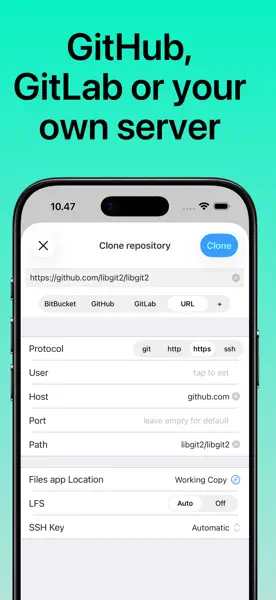
Welcome to the Working Copy TestFlight beta. Please use email instead of the TestFlight mechanism for feedback.


Screen Frames is the fastest way to add device frames around your screenshots. You can drag and drop, copy paste, combine multiple devices into one image, or even export multiple separate images in bulk.

iCandy is an application to allow you to organise your collection of ICNS icons. Included are a number of features to make it easy to organise and browse your collection including the ability to organise icons into sets, and sets into folders. The ability to add metadata to icons and icon sets, to search your collection of icons and to browse your collection in a number of ways including grid and list views, to view icons with a specific primary colour, assign and view by tags and more. iCandy offers both the option to save your icons to a local library, or to a library on iCloud.
Zones is an app for time zones.


Record and browse your daily joys.mind.


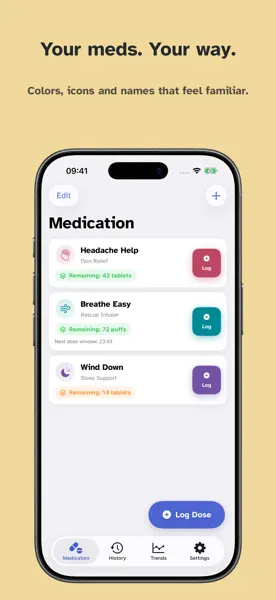
Effortlessly manage your As Needed prescriptions.


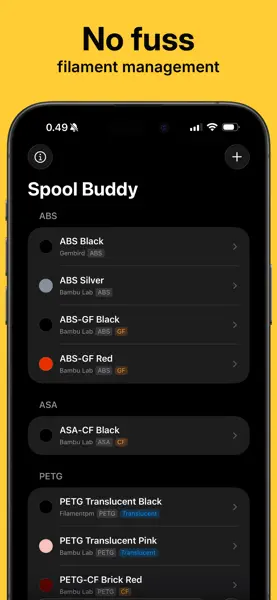
A simple filament management app for iOS, iPadOS and macOS. Syncs with iCloud.


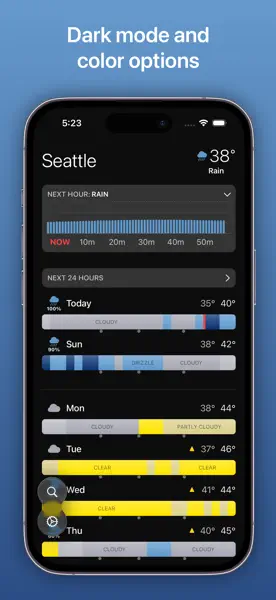
This weather app lets you look at the hourly forecasts for the next week at a glance. Please give it a try and let me know if you find it useful. It supports homescreen and locks screen widgets, so please try them out, as well as supporting iPhone, iPad, and Mac. (And experimental support for Vision Pro!) Thanks for trying it out!


Introducing LookUp 11.1. This version of LookUp includes new learning tools that enable people to contextual learn words based on their native language, the person can define their own context to better understand the word. New Learn Tools help people contextually understand words.


Find photos and art from federated social media services such as Mastodon. View slideshows of photos and art from hashtags you select.

Welcome to the Zenitizer Beta Tester group! Zenitizer is an elegant meditation app for Apple Watch, iPhone, iPad and Apple Vision Pro that focusses on a minimal design and deep integration with Apple-platform features. The app logs mindful minutes to Apple Health when completing a session and reads mindful minutes from Apple Health to show the progress towards completing the daily meditation goal. The meditation timer allows playback of background sounds as well as bells for the intro count and at regular intervals. These bells are used by meditators as a reminder to re-focus their attention on the breath, in case thoughts have drifted off. The daily meditation progress is displayed in Watch complications and iPhone widgets (both on the Lock Screen and Home Screen).


Your perfect kitchen companion is ready for iOS 15. Take advantage of recipe scanning, instant import improvements, and interface enhancements from the new operating system. Please test importing and note any interface oddities.
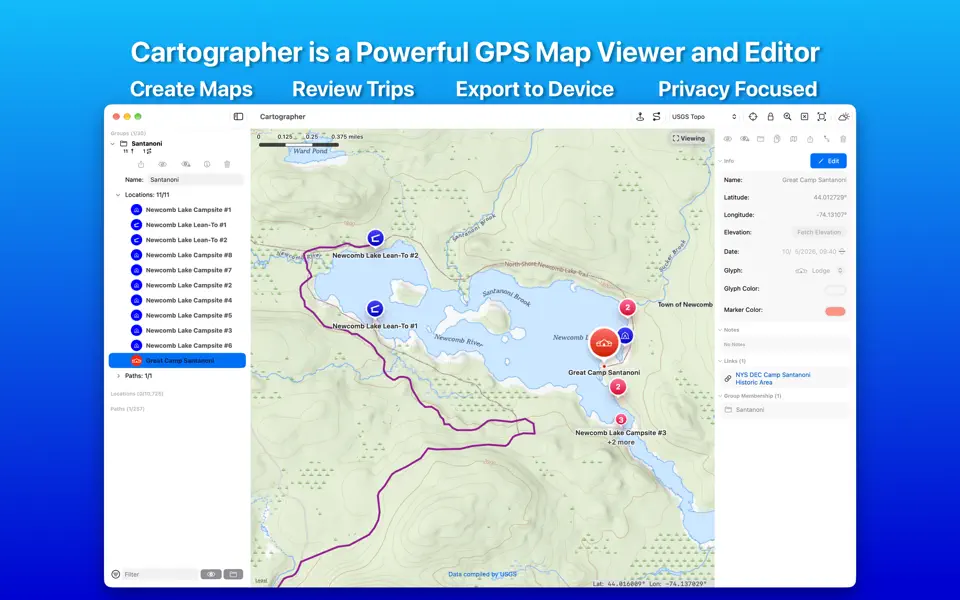
Welcome to the Cartographer Beta Test. Cartographer is an app that allows you to view and edit GPS data. You can create maps showing your favorite destinations and paths. Plan trips or review your past adventures. Cartographer will import and export GPX files from many other applications. As this is a beta test please try all functionality and let us know what isn't working, what can be improved. We're not even against letting us know you like something in the app! You can provide feedback via TestFlight or the in app feedback option found under the help menu.
Daylish is your friendly day planner. It helps you never be late again, while effortlessly flowing through your day and getting things done. See all your calendar events, journeys, timers and alarms in a single unified timeline. Easily plan ahead with smart alarms and timers that assist you in getting ready well in advance of important events, taking into account travel and preparation time. Quickly plan your whole day in just a few minutes, easily identifying where you need a little more buffer timer to avoid stressful situations, as well as finding gaps you can use for productivity, relaxation and fun! Once you made your plan, just flow from one time block to another. Stay focused on what matters now, instead of worrying about what lies ahead. Daylish will keep you on track when the time comes and always lets you see at a glance what's happening right now and coming up next. ALARMS FOR EVENTS. Traditionally, calendar apps show notifications, which is great (and also something Daylish supports) but sometimes you just need that extra buzz to grab your attention and that's why Daylish allows you to create ALARMS that are linked to calendar events or any other timeline items. You definitely won't miss that important meeting anymore - even when you're totally in the zone! LEAVE ON TIME. With Daylish's Leave On Time routines you can quickly block time for the journey as well as the time you need to get ready to leave the house. When your preparation time starts, you will get an alarm that you cannot miss. Once dismissed, it will automatically transform into a countdown timer, telling you how much time you have to get out of the house. Of course, this is visible as a Live Activity, so you can always do a quick time check while you're getting ready to head out. The journey and preparation time blocks are linked to the calendar event. That means: if you move the calendar event in Daylish, everything else is automatically updated as well. FOCUS TIMERS & ROUTINES. Use timers for focus work sessions or chores that fit neatly between your events or build your custom morning routine with multiple sequential timers. The possibilities are endless.


Benkyo Box is a spaced repetition flashcard app that works on iOS and iPadOS and syncs via iCloud sync. Features are described in detail at: https://www.autorelease.io/benkyobox/. It not only supports the traditional image and text based flashcards, but also an innovative image annotation method that creates flashcards from annotations. It also supports importing from CSV, folders with images and plain text files. It can export/import whole folders as a .bboxarchive format, which can be sent via AirDrop for sharing. Plain text files can be typed from the Quick Entry view, which will find questions and answers in your input. Quick Entry uses ML to figure out if text looks like the answer or question part of a card by default, but you can override the decision with a question: or answer: (or q: a:) prefix. In Quick Entry, questions have 1 line, but answers can have multiple lines. When entering single cards, you can use any combination of text/text text/image image/text and image/image and swap them at any time, which won't result in resetting your progress. Text for both questions and answers can have multiple lines. Cards can be organized in folders and subfolders. known issue: Currently there's no way of moving an existing folder to another folder on iPhone, only on iPad (via drag and drop). Studying is done via space repetition: you'll get to see a card around 3 times until you score it "I know it". You'll then see the card (and be notified) again in 1 hour, then 4 hours next day, and so on. You can change when cards get scheduled in settings, and you can see your upcoming schedule and past stats in the weekly calendar view, accessible from the sidebar. Cards are scheduled from 6:00am to 8:00pm by default, but this can be changed in Settings. The app is in active development and there's room for polish (there are occasional image flickers in study view, and some delays in the end animation), documentation, and improved accessibility but the core features should work. Happy testing!


The PCalc beta!



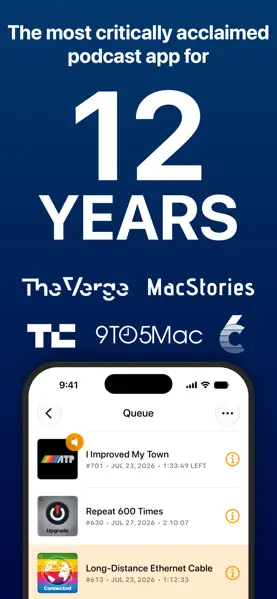
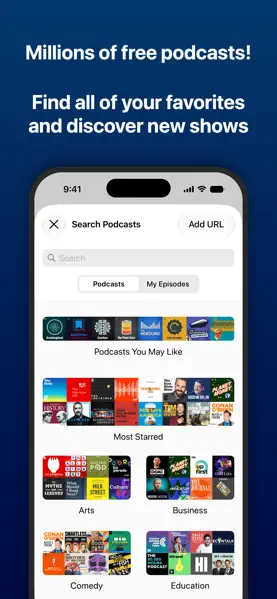
A powerful, simple, award-winning podcast player.

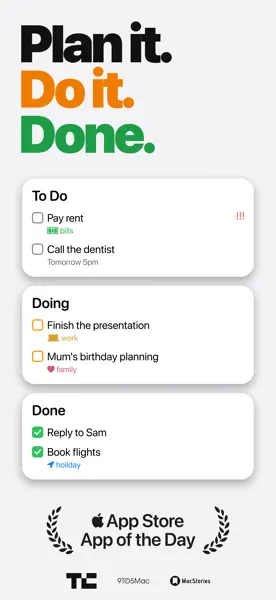
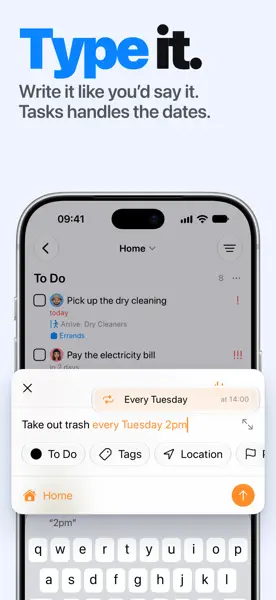
Tasks don’t always have binary states, they’re not necessarily just `To-do` or `Done`, maybe you’re working on it right now or it’s pending review. Modern task managers are just digital to-do lists, but your modern life is not so binary. That’s where Tasks can give your productivity a boost! Tasks is a simple yet powerful task management app. It helps you get things done and organise your life. It’s almost as though Apple made a task management app. The app is extremely simple to use and even simpler to customise for power users. You can zip through your tasks and projects on the iPad with full cursor & gesture support, and keyboard shortcuts. With Tasks, you can create multiple projects. Each project has tags, priorities and statuses. You can add and edit statuses as per your project needs. Statuses can vary from “Todo, Planning, In Progress, Testing and Done”. Tasks comes with features familiar in the Apple ecosystem to lower the learning curve and help you get things done, while keeping your privacy in mind. You can sync your data across devices and share files with full iCloud support and keep your projects safe with FaceID or TouchID. Get your thoughts and projects organised with Tasks, available as a universal purchase across all your Apple devices. You can even import Lists from Apple Notes and pending reminders to switch instantly. Tasks can be be used by everyone, with support for dynamic texts, context menus push notifications and of course, support for dark mode.

TV show tracking app for iOS.


Check the time, anytime! Track the local time in cities across the world, right from your Home or Lock screen. Add cities to World Clock and select the analog or digital clocks. Then check the World Clock widget whenever you need to know the time. Features: Attractive analog and digital clock displays, with options to display seconds and 24-hour time. Simple UI for adding and managing cities. Search or browse 10,000+ cities by name. Includes easy instructions for adding the Widget to your home and lock screens. Rename a city to create a custom clock, e.g., “Grandma’s House”. Widgets are available in a variety of sizes and styles. In-app purchase to remove advertisements.


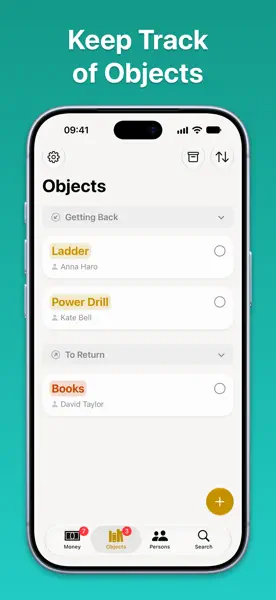
Keepfully is the easiest way to manage your loans. Add the amounts you lend to or from your friends in a snap! Keepfully allows you to link a person, location, time and title to each loan. This helps you to perfectly keep track of your money. Once you’ve completed a loan, you can check all your payed back loans in a nice and simple list. You’ll never doubt again that you payed the money back. Easily remind your friends to pay back the loans with the built in sharing.


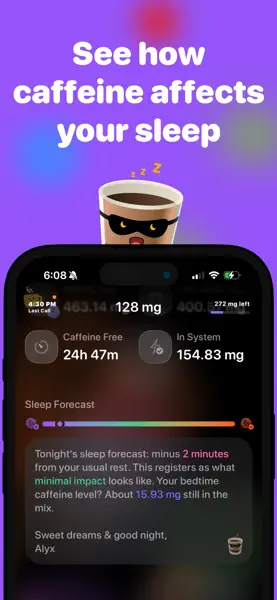
Import albums from the music library as virtual vinyls ("vinylize") and play either side. Customize artwork, center label, etc.


The first build!


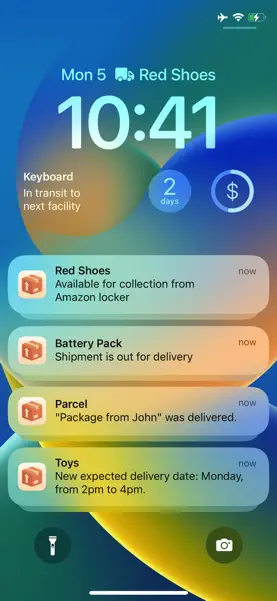
The best delivery tracking app for iOS, Mac and visionOS. Please use TestFlight feedback only to report UI bugs. For all other bug reports, please contact support from the app settings. TestFlight feedback is a one-way feedback channel, I am not able to reply with it. It is not possible to buy the premium version in the TestFlight app, please use the App Store version of the app to make a purchase.


The idea behind this app is to make the school life easier as it is. Do you know this problems about managing your time and tasks for school? Did not you forgot any dates one time? This app is the best solution! Timetable: Managing more than one timetable at the same time. Support for double lessons. Two different timetables for even and odd weeks. Copy the timetable of the even week to the odd week. Individual period times. Detect current lesson. Today extension. Homework: Automatically adding homework for the current lesson. Save image with task. Great Notifications with direct interactions. Shows and updates the number of homework on the home screen automatically. Exams: Adding exam date, time, place and notes to the iOS calendar. Custom notifications with actions. Grades: Connecting grades with exams. Calculating the average of all grades or just by every subject. Filtering of grades. Different grade systems for different school types. (Mainly adapted for German school systems) Holidays: Add holidays to know when you don't need to go to school. Calculations for homework and lessons are automatically adjust. Autoimport a set of holidays based on your state (only for Germany) Settings: Customisable settings. The App: Simple to use. 3D touch support. Application shortcuts for fast adding homework to the current lesson. AppleWatch: See your timetable. Know which lessons you have today. Add new homework directly from your wrist with speak recognition. This application is mainly designed for the German school system. It will be great if I get a short feedback or functions which you want to have in the next version.


Plant Daddy helps you to care for your plants. It’s a beautifully modern app that allows you to add your plants, record notes such as care information, and schedule water reminders. It’s that simple! You don’t even need to create an account. Plant Daddy is focused and intuitive. It intentionally does not include features like plant identification, care suggestions, light detection, etc. Other apps and websites can accomplish those needs. This is your cute little place to store your own information, get reminded when it’s time to water, and admire your lovely collection. How to Use. ‣ Add a plant, give it a name, and preferably a gorgeous photo. ‣ Enter any notes you’d like to reference such as care instructions, light requirements, soil needs, etc. ‣ Maybe add more information such as the date planted, scientific name, location, etc. ‣ Set how often you’d like to water your plant and a notification will be sent when it's watering time. Features. ‣ Dark mode. ‣ Customizable app icon. ‣ Sort and Filter options. ‣ Notifications: mark your plant watered right from the notification, even on Apple Watch. ‣ Widgets: add your plants to your Home Screen, Lock Screen, and StandBy. ‣ Siri: Hey Siri, water Snake Plant in Plant Daddy. ‣ Shortcuts: automate actions like Create Plant, Edit Plant, Find Plants, Water Plant, and more. ‣ iCloud: your plants automatically sync and are backed up. ‣ Home Screen quick action: quickly add a new plant. ‣ Full accessibility support: dynamic type, VoiceOver, Voice Control, and more. ‣ Universal app available for iPhone, iPad, and Apple Vision Pro. ‣ No ads, no tracking, no subscriptions. I hope this app helps you to care for your plants! Cuz hunny we stan a plant daddy.


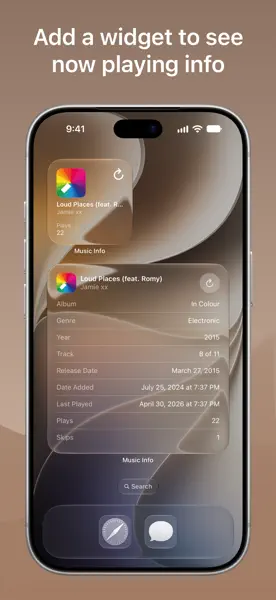
Music Info allows you to view information about songs in your library, including play count, skip count, release date, date added, album artist, composer, genre, comments, lyrics, and more.*. "Apple's Music app on macOS surfaces all kinds of information about the songs you're listening to … But for reasons unknown, that isn't the case with the iOS version of Music. But as Apple likes to say, there's an app for that.". —iMore. Music Info features a clean, modern design that’s simple and efficient to use. When you open the app, if a song is playing in the Music app, its info automatically appears and updates when the song changes. You can also select a song from your library to view its metadata. You can even get a song’s info directly in the Music app from the share sheet — it’s Music’s missing Get Info button. The Now Playing widget displays info about the song currently playing in the Music app on your Home Screen, StandBy, and iPad Lock Screen. Edit the widget to customize which song properties are visible. (Requires iOS 17.2+) More features. - Drag and drop a song from Music to see its info. - Look up song info with Music Recognition powered by Shazam. - Play the selected song in-app. - Reorder or hide information. - Tap and hold text to copy information. - Select words in lyrics to look up, translate, copy, or share. - Drag and drop artwork into other apps. - Light and dark mode. - Home Screen quick actions. - App Shortcuts. - Keyboard shortcuts. - Split view multitasking and multiple windows on iPadOS. - Full accessibility support including Dynamic Type, VoiceOver, and Voice Control. - No ads, no tracking, no subscriptions. How it works. - The Music app, like iTunes before it, saves metadata for each song you have in your library. Music Info reveals this information that otherwise isn’t accessible on iOS and iPadOS. - All songs in your library can be accessed in the Music Info app, no matter if they were added via Apple Music, purchased, matched, uploaded, or otherwise synced to your device. Songs in Apple Music that haven’t been added to your library have limited information available. - The share sheet action is available when sharing a song in the Music app. Note that only songs that are available on Apple Music can be shared. Music Info will try to look up that song in your library which may require an internet connection. It’s possible it may not be able to find the right song, for example, if you’ve renamed it. If that is the case, you can still use the app to access its information even without an internet connection. Things to note. - Song metadata cannot be edited on iOS and iPadOS. - Music Info does not work with any third-party music services. - Lyrics must be added to your songs via Music or iTunes on your Mac or PC. All available metadata: - Artwork. - Title. - Artist. - Album. - Album artist. - Composer. - Genre. - Release date. - Duration. - Play count. - Last played. - Grouping. - Track. - Disc number. - Compilation. - Explicit. - Rating. - BPM. - Skip count. - Date added. - Comments. - Lyrics.


Designers and developers: search the massive SF Symbols icon collection with plain English phrases. Symbolsaurus is a thesaurus for Apple’s free icon collection, cataloguing all the button labels used on a given symbol. It maps technical names like “plus.square.on.square” to actual UI copywriting like "Duplicate". The more apps using specific word with an icon, the higher it ranks in popularity. The more unique ways a symbol in labeled in the wild, the easier it is to find. And if you see something missing, you can contribute to the thesaurus from right inside the app. It doesn’t have everything (yet), but it’s a work in progress and a labor of love. Search for symbols by their technical names and their synonyms. Search and browse by app to see how popular apps are labeling their UI. See how popular apps use symbols in their UI when you’re writing your own button labels. Copy, share, or drag and drop symbols into other apps like Swift Playgrounds. Check OS compatibility for the ones you want to use in your app.
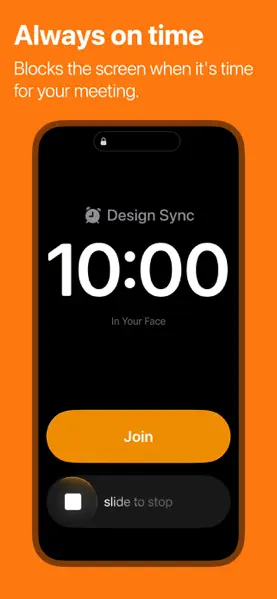
In Your Face will interrupt your workflow when it is time to go to your meeting by displaying a full screen reminder. It shows you WHAT, WHEN and WHERE. In Your Face even lets you jump directly into a video call if there is one in the calendar event. Select for which calendars you want to receive notifications and when you want to get them (up to 60 minutes before the event). In Your Face automatically updates on new calendar events or when an event changes.


iOS 18 support.
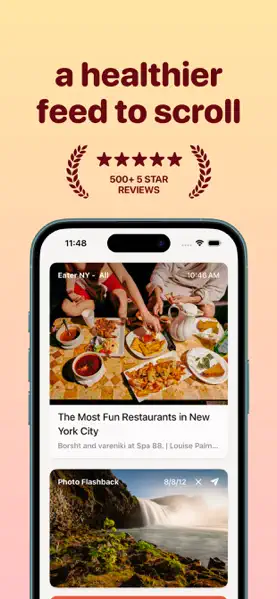


A pocket football simulator.
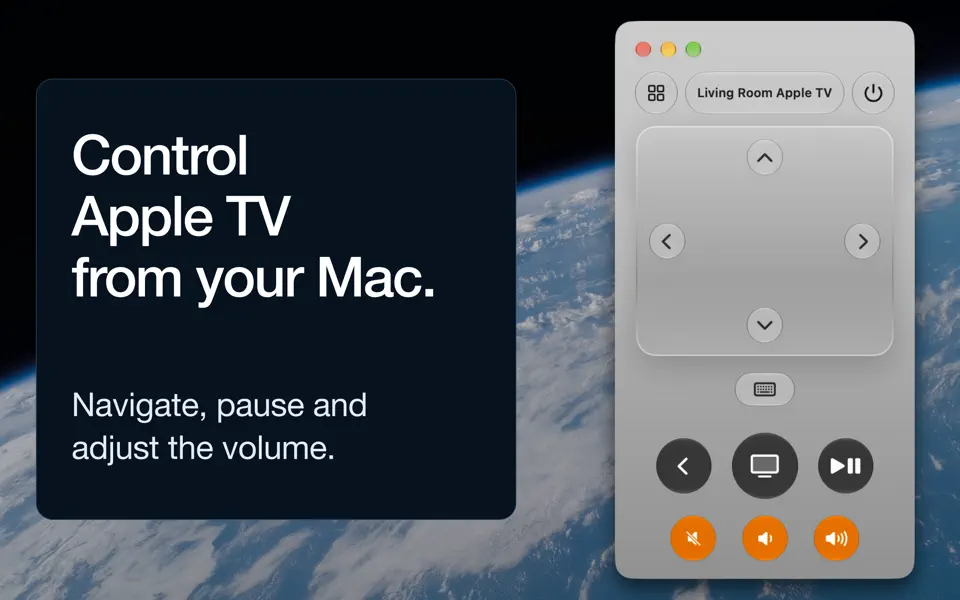
This is the first version of Better Remote for testers!
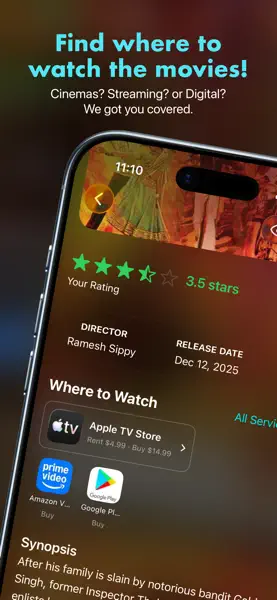
Introducing Movie Buzz. Movie Buzz is a movie tracking app that enables you to discover movies, track and journal the movies you’ll love. Based on personal context, and a unique taste profile, movies buzz’s recommendations are personalized and tailored to what you enjoy. Movie Buzz makes it easy to add movies to your watch list by allowing you to add them via Visual Intelligence and Shortcuts. What to test: Try adding movies to your watch-list. Try adding movies to your seen list and reviewing them. Gradually your recommendations should improve (pull to refresh) In the seen page, you can also provide additional personal context. Known Issues: Still very early days so a lot of functionality is missing and the UI maybe broken in certain areas UI is wonky in certain areas. Still working on it. Some regions maybe slower than others in the app. We’re still working on performance. Smart Ratings could be misguided at times. Please share details.


Shapely 3D is a native 3D modelling app for Mac, iPad and iPhone. Build models out of primitives, edit their points and faces, combine them with boolean operations, and export to STL for printing. This is the same universal app as the App Store build - Mac and iOS share a bundle ID, so one Pro purchase covers both, and settings sync over iCloud between devices signed into the same account. Areas worth poking at: Placing shapes from the catalogue, then moving, rotating and scaling them with the gizmo - with grid snapping both on and off. The workplane: change its size and grid spacing in Settings and check that the ruling still lines up with where objects actually snap. Edit Points and Edit Faces, on primitives and on an imported STL alike. Cut, boolean union/subtract/intersect, and marking a shape as a hole. Switching between perspective and flat (orthographic) view in the middle of an edit. Switching the system appearance between light and dark while a project is open. The compact layout: iPhone, and iPad windows dragged narrow. Crossing that threshold should swap the chrome without disturbing the camera. Please send feedback straight from TestFlight (screenshot, then Share) so the device and build number travel with it.


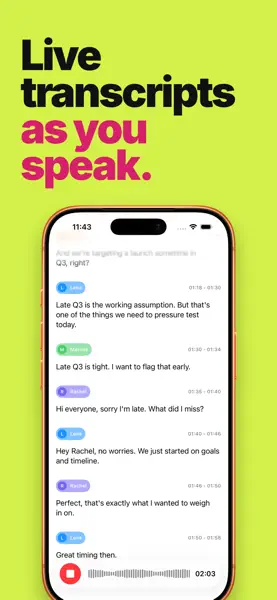
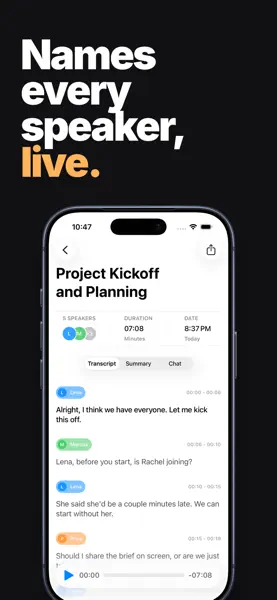
This is the first TestFlight beta of Superscribe, a forthcoming audio transcription note taking app for iOS.
■ More Than Melody. Explore the hidden stories behind your favorite music & enhance your listening experience. ■ All Details. One Place. NowPlaying brings together info from various public sources, giving you one convenient spot for all music trivia. Find out everything about any song, artist, or record easily. ■ Music has Never Looked this Good. The SongDisplay feature transforms your iPad, iPhone, or Apple Watch into a stunning display for your speakers. Always know what's playing around you with this beautiful and handy tool. ■ Content & Fun. In Perfect Harmony. Discover new music and have fun along the way! Complete tasks to unlock unique app icons and enjoy fresh content. ■ Apple Music Integration. Connect to Apple Music directly and take the hidden gems you re-discovered to the digital era. Connecting to Apple Music not only lets you save songs but also give you more insights about the music you've recently played outside of NowPlaying. ■ Widget Support. Show the song you listened to last right on your home screen in a beautiful widget, and be able to re-read all about it at any time. With Always On mode on the widgets even update when NowPlaying finds a new song on the background. ■ Connect to Last.fm. You can automatically scrobble your SongDisplay sessions or manually scrobble Songs & Albums with the press of a button. ■ Other Features. Drag and drop a music song in the app to learn more. Pointer and shortcut support (iPadOS). Multi-window support (iPadOS) History of all your listening sessions. Play a small preview of the song if you forgot what the song sounded like. Connect your device to an external display (via AirPlay or Cable) and use a bigger screen to display what's playing while all the information will be shown on your main device. New and interactive widgets that let you listen to quickly listen to whatever music is playing around you or just show a random song each day. Spotlight integration. Share song URLs with friends. Find song on Discogs (largest vinyl database). Open song in Apple Music / Spotify / Tidal / YouTube Music or Deezer. Kiosk Mode (Option to hide buttons for an even more minimalistic interface.) Setting to start looking for songs as soon as the app starts. Custom icons for all the instruments that are found in the song. Always on mode: Keep updating your session in the background. Sources: Apple Music, MusicBrainz, Discogs, SongLink, Genius.com TheAudioDB & more…. NowPlaying content - Our unique content (Awards, TikTok songs, extra text) StandBy mode support quickly sees the latest song that’s playing. Link to MusicThread to keep track of your music lists. ■ All Content Available. For a full list of content, please visit: https:/nowplaying.page/music-details.html. Read more about our terms and conditions here: https://www.craft.do/s/msht49oSyDDTRp. Read more about our privacy policy here: https://www.craft.do/s/g7sQraD8OQUEQx.


Still to come.
Track how far you walk and how many steps you take. Always on, works on all iPhones. Steps is a pedometer and activity tracker. It shows you just how much you're moving in a simple, elegant way. Set a goal. As you walk, the colors change to show your progress like a sunrise. No noise, no extra gadget to wear and nothing to distract you. Everyone should walk 10,000 steps every day for their health, but many of us don't go that far. With Steps, you can easily track how far you go every day, set a goal, and get moving! WHY STEPS. Clear, uncluttered design and changing color tells you at a glance how far you've gone today. Easily set and adjust goals. Calorie tracking, customized for your body and activity. Track and share your full activity history. Check in quickly from your Apple Watch or Notification Center on your iPhone. ALWAYS ON, WORKS WITH THE PHONE YOU HAVE. Always on and tracking, no need to press start and stop buttons. Works anywhere on your body. Works with any iPhone running iOS 7 or greater. BATTERY LIFE. Continued use of GPS running in the background can dramatically decrease battery life. To track your activity in the background on the iPhone 4, 4S, 5 and 5c, Steps keeps track of your location. We've gone to great lengths to minimize battery use and make sure your charge still lasts all day, but there's no getting around some impact on your battery. A note on location. Steps needs access to your location in order to track how far you walk in the background. If Steps doesn't update while it's in the background, please open the Settings app and go to Privacy -> Location Services. Make sure that you have enabled Location Services for Steps -- this should resolve the issue. Thanks!


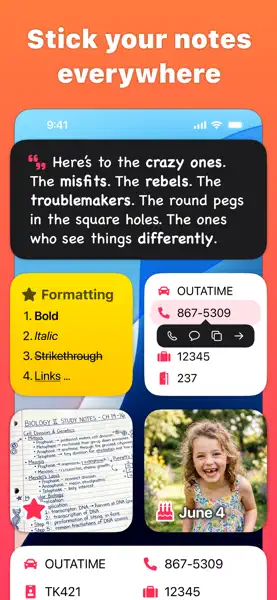
Cheatsheet is for the little things you never remember: hotel rooms, license plates, luggage combination, ID numbers. Write them down in Cheatsheet and then refer to them anytime in the Widget or paste them anywhere with the Custom Keyboard. No more fumbling to unlock your phone and find your notes app; Cheatsheet is as easy as swiping right on your lock screen, pulling up the keyboard, or glancing at your Apple Watch. The Mac app is sold separately, and thus has a separate TestFlight. Join here: https://testflight.apple.com/join/m84D5aUu.