

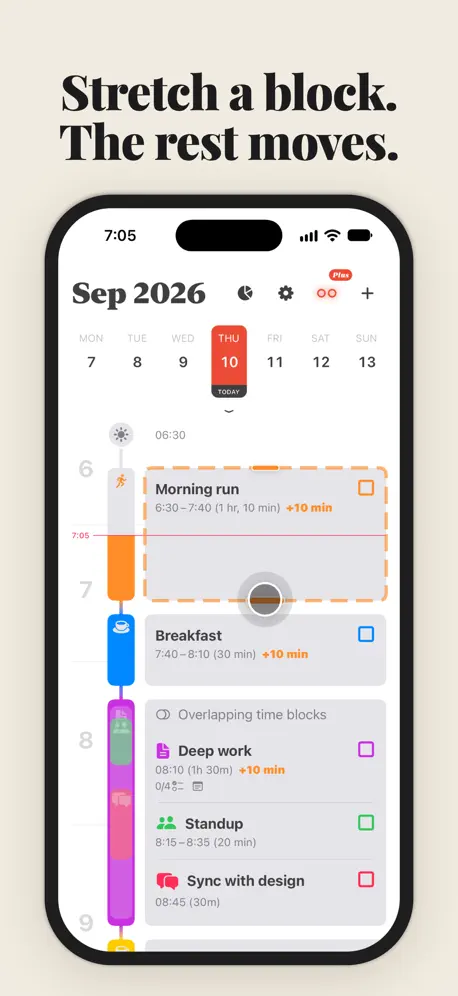

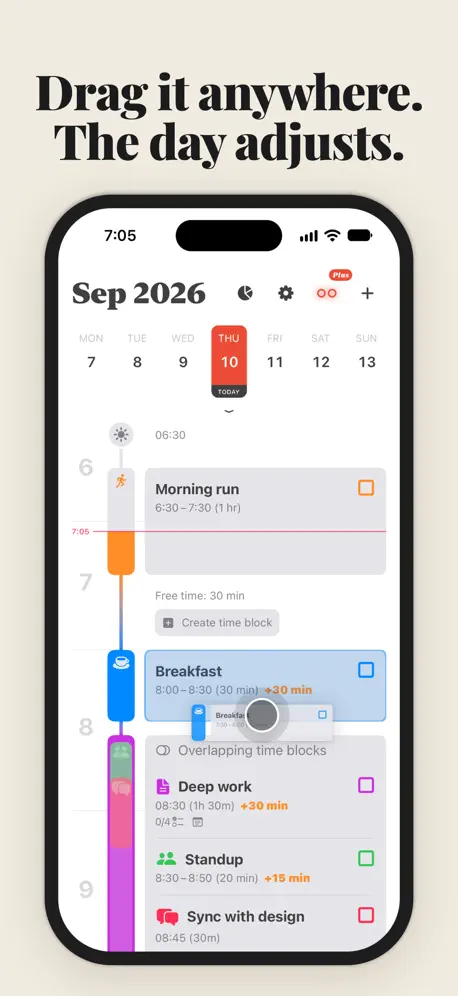


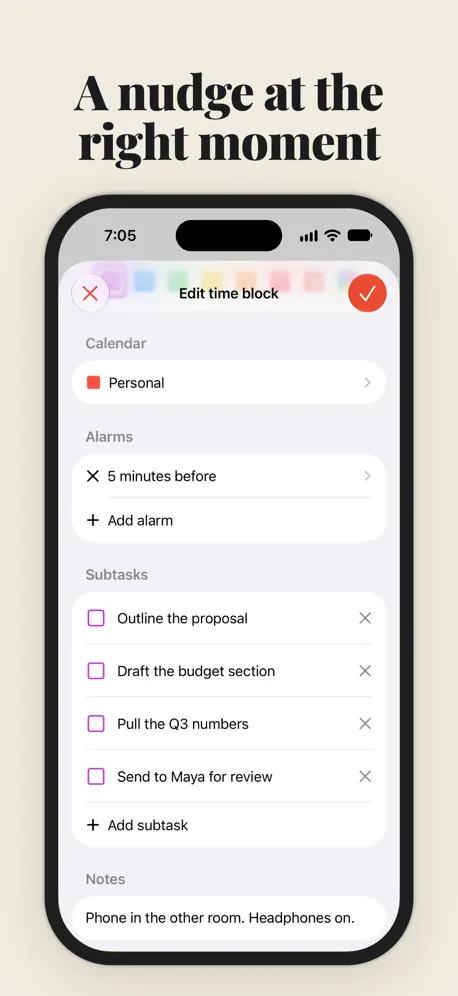


Plan your day with visual time blocks, on iPhone and iPad. Turn an overloaded task list into a realistic timeline. When plans change, drag and resize your day without starting over. Then see how the day actually went. NEW: ALIGN FOR IPAD Align is now on iPad, free just like on iPhone. • See several days side by side on a wide canvas. • Drag a time block to any visible day. • Open more than one window. • Your date browser and widgets stay in sync with your iPhone. FREE • Unlimited time blocks on a clear daily timeline. • Works with your calendars: events from the calendars you choose appear as time blocks, and new time blocks are saved back to them. • Drag and drop to reschedule. Push a time block to the edge of the screen to move it to the next day. • Resize a time block by dragging its top or bottom edge. • Icons and colors for every time block. • Custom alerts for each time block, plus an optional daily review reminder. • Recurring time blocks for the routines you repeat. • Mark time blocks complete and watch your daily progress. • Home Screen and Lock Screen widgets: see what's next, check off time blocks, and add a new one without opening the app. ALIGN PLUS • Insights: daily, weekly, and monthly views of how your plan really goes. See what you completed, how loaded the day was, and what still fits before it ends. • Streaks: clear every time block in a day to start a run. • Shareable day cards: turn a good day into an image you can send. • Insights widgets for your pace, day load, and streak. • Overlap avoidance: drag or resize a time block and the surrounding ones move out of the way. • Time block locking: keep important time blocks fixed while you rearrange the rest. • Subtasks: break a time block into steps and check them off. • Custom day start and end: set the timeline to your own hours. Align Plus is available as a subscription with a free trial, or as a one-time lifetime purchase. WHO IT'S FOR Align is a time blocking daily planner for anyone whose to-do list never fits the day: people with ADHD who plan better when they can see time, students balancing classes and study, and professionals planning around meetings. Align is made by an independent developer. Terms of Use: https://www.apple.com/legal/internet-services/itunes/dev/stdeula/
In this version of Align - Time Blocking planner: • NEW Milestone celebrations: a little confetti when you complete your first time block and when you clear every block of your day. • Tapping TODAY now scrolls your timeline straight to the current time, and Align opens at the current time after you've been away for a while. • If an event changes or is deleted in another app while you're editing it, the editor now updates or lets you know instead of saving over it. • Your calendar alarms are now preserved: saving a block no longer removes alarms Align doesn't show, like location or date-based alerts. • A new native newsletter signup in onboarding and Settings. • Better layouts at large accessibility text sizes and on smaller iPhones, including with Button Shapes turned on. • Improved right-to-left layouts and fixes for Japanese, Chinese and Korean time labels. • Smoother, more consistent animations throughout the app. Thank you for using Align.
| Size | 85.6 MB |
|---|---|
| Initial release | |
| Price | |
| Platforms | iPhone and iPad |
| Languages | Arabic, Catalan, Croatian, Czech, Danish, Dutch, English, Finnish, and 21 more |
| Category | Productivity |
| Website | align.day |
| Compatibility | |
|---|---|
| iPhone | Requires iOS 18.6 or later. |
| iPad | Requires iPadOS 18.6 or later. |
LaTeX, Markdown flash cards
AdApp's data is regularly updated.
Last update:

Daily & Hourly Time Blocking
Visual Calendar & Organizer
Visual task timer, day planner
Appointment Reminder Alarm App

Kanban Board, Planner & Widget
Eisenhower Matrix Productivity

