

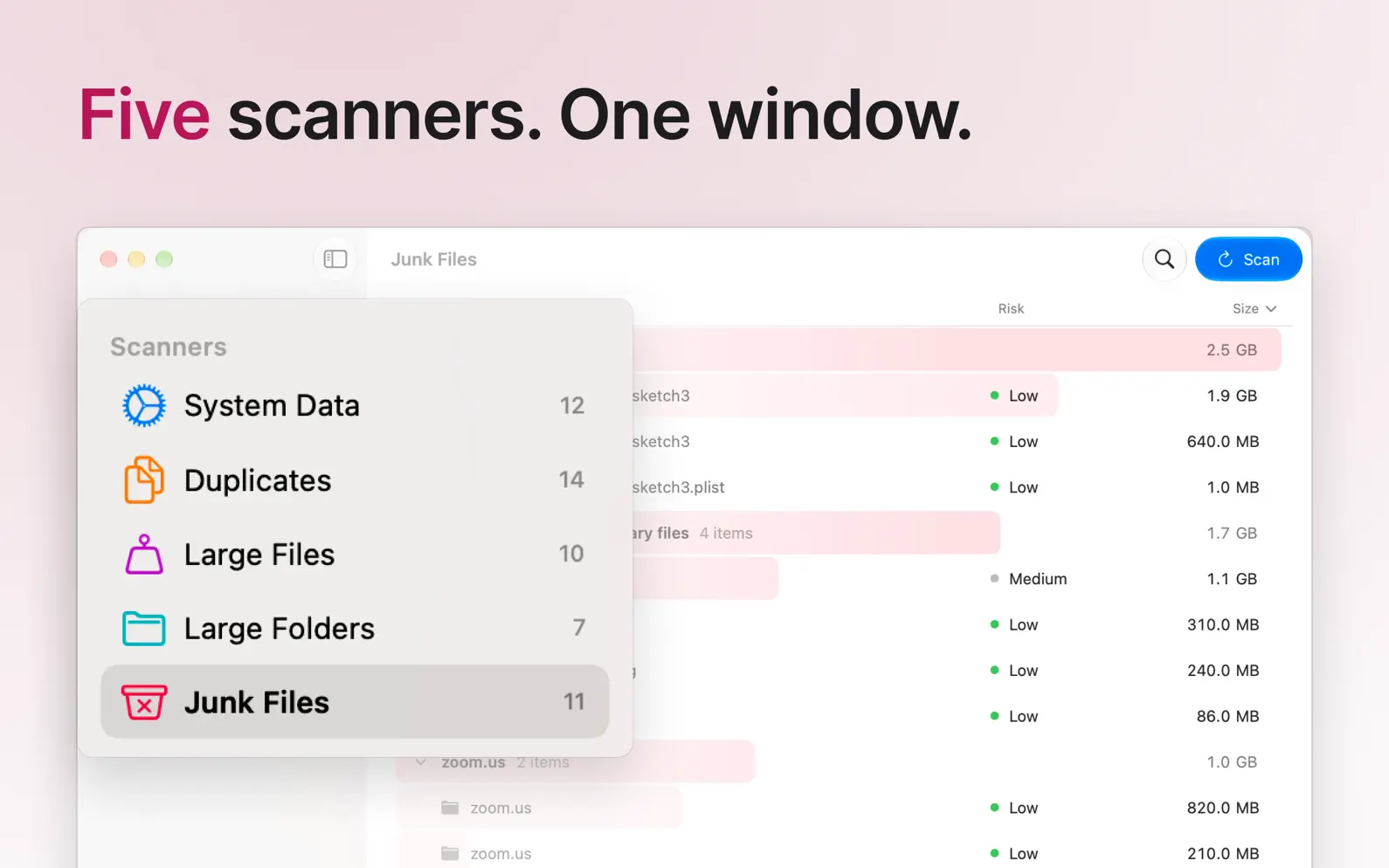

See what is filling your Mac, then decide what goes. DataSweeper is a native Mac disk cleaner. It scans your home folder and shows what takes the space: system data, duplicates, large files, large folders and junk. Everything you remove goes to the Bin first, so nothing is lost by accident. FREE TO SCAN Every scanner, the Overview, Quick Look, Show in Finder and the plain-language explanation of each item are free. No account, no subscription. DATASWEEPER PRO One purchase unlocks moving files to the Bin, from any scanner, with undo. Every update included, on every Mac signed in to your Apple Account. If you bought DataSweeper 1.0, Pro is already yours. FIVE SCANNERS AND AN OVERVIEW • Overview: a map of where your space went, biggest things first. • System Data: caches, logs and temporary files your Mac no longer needs. • Duplicates: exact copies found by SHA-256 hash, no false positives. • Large Files: forgotten downloads, old archives and exports. • Large Folders: the biggest folders in your home folder, hidden ones included. • Junk Files: old installers and leftovers from apps you removed. SAFE BY DESIGN Nothing is pre-selected. Every item is colour-coded (safe, caution, risky) and explained. System files, keychains and SSH keys cannot be selected. Everything goes to the Bin first and can be put back with ⌘Z. PRIVACY FIRST DataSweeper itself makes no network connections. No analytics, no telemetry, no accounts. The Pro purchase is handled by the Mac App Store like any other purchase. ALSO • Native SwiftUI app for macOS Tahoe, light and dark • iCloud-aware: cloud-only files are shown, never downloaded • Siri Shortcuts, keyboard shortcuts, scan-finished notifications • Requires macOS 26.2 or later
DataSweeper 2.0 is a big one. • Free to scan. Every scanner, the Overview and Quick Look work without paying. DataSweeper Pro, a one-time purchase, moves what you find to the Bin. If you bought DataSweeper before, Pro is already yours. • Overview. A map of what is filling your Mac, across all five scanners, biggest things first. • Large Folders. The biggest folders in your home folder, hidden ones included, as an outline you can open in place. • Bin, redesigned. Everything you remove goes to the Bin first, with undo (⌘Z) and a clear way to empty it. • A new app icon, a lighter window and the Liquid Glass design of macOS Tahoe. • Requires macOS Tahoe 26.2 or later.
| Size | 3.8 MB |
|---|---|
| Initial release | |
| Price | Free |
| Platforms | Mac |
| Languages | English |
| Category | Utilities |
| Website | datasweeper.app |
| Compatibility | |
|---|---|
| Mac | Requires macOS 26.2 or later. |
LaTeX, Markdown flash cards
AdApp's data is regularly updated.
Last update: