


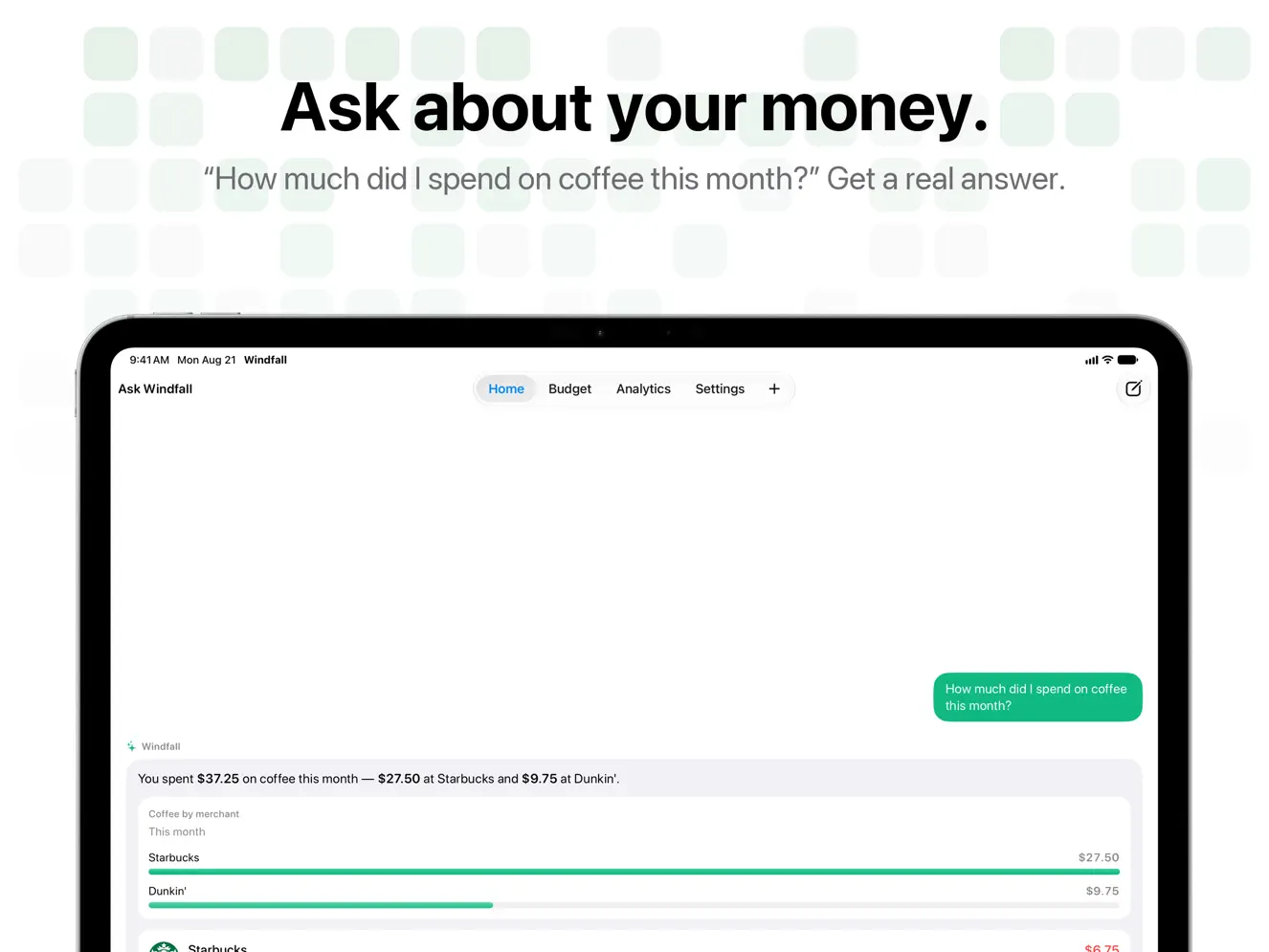

Turn a sentence into a transaction you can review. Type ‘Lunch at Starbucks $12’, ask Siri, or scan a receipt—Windfall prepares the merchant, amount, category, account, and date before you save. LOG SPENDING YOUR WAY • Describe expenses and income in natural language • Ask Siri, use Shortcuts, or run a personal automation • Review every prepared transaction before saving • Scan receipts or import multiple transactions TRACK YOUR NET WORTH (NEW) • Add what you own and what you owe: funds, stocks, retirement, gold, cash, loans, and credit cards • You enter the values yourself, so there is nothing to connect and no bank login • See your net worth over time, with the money you added kept apart from growth • Update All walks you through every value in about a minute, with a reminder when it's been a while • Get insights about your saving habits, written on your device with Apple Intelligence on supported iPhones • Add a Net Worth widget to your Home Screen (Pro) • Two assets and two liabilities are free; Pro tracks as many as you like RIGHT ON YOUR WRIST • Log an expense or income on Apple Watch in a few taps: amount, category, done • Your most recently used categories come first, and you can dictate a merchant name • Keep logging when your iPhone is out of reach; entries sync as soon as it's near • See today's spend on the Home screen and your latest entries under Recent • Put Today's Spend on a watch face or in the Smart Stack, and tap it to open the keypad • Say it (Pro): dictate the whole thing, like ‘Uber to the airport $24’, and review the entry before it's saved • Watch entries count toward the same budgets and insights, and teach Windfall your merchants NEVER MISS A BILL (PRO) • See upcoming bills and income on an Upcoming screen and on Home • Log recurring payments automatically, or have Windfall ask first • Get reminders, price-change alerts, and a duplicate warning • Find recurring payments hiding in your history • Budgets set money aside for bills that are coming up • Check and log payments with Siri, Shortcuts, and Spotlight ACCOUNTS THAT LOOK LIKE CARDS • Pick a card design and a network such as Visa, Mastercard, American Express, or Discover • Tap a card to flip it, or drag to tilt it • Account pickers suggest the account you usually use at a merchant, and tell you why YOUR YEAR IN REVIEW • From December 1, relive your year as a story: totals, your biggest month, top categories, and the places you visit most • See your longest logging streak and what recurring payments cost you over a year (Pro) • Share a story or square card, with amounts hidden unless you choose to show them KEEP YOUR MONEY CLEAR • See weekly, monthly, and yearly budget progress • Follow trends, categories, forecasts, and activity heat maps • Use merchant logos, calendar browsing, search, and CSV export • Track multiple currencies with exchange-rate conversion NO BANK LOGIN REQUIRED Windfall never asks for banking credentials or connects to your bank. Saved financial records stay on your device, and entries you log on Apple Watch go straight to your iPhone. Smart Entry can run on device; when Cloud parsing, receipt scanning, or Say it on Apple Watch uses a service provider, only the text, receipt image, and relevant context needed to return the parsed result are sent. Choose your parsing mode in Settings. A focused ledger, ready for your approval, with native iPhone and Apple Watch tools that fit your routine. EULA: https://www.apple.com/legal/internet-services/itunes/dev/stdeula/ Privacy Policy: https://trywindfall.app/privacy
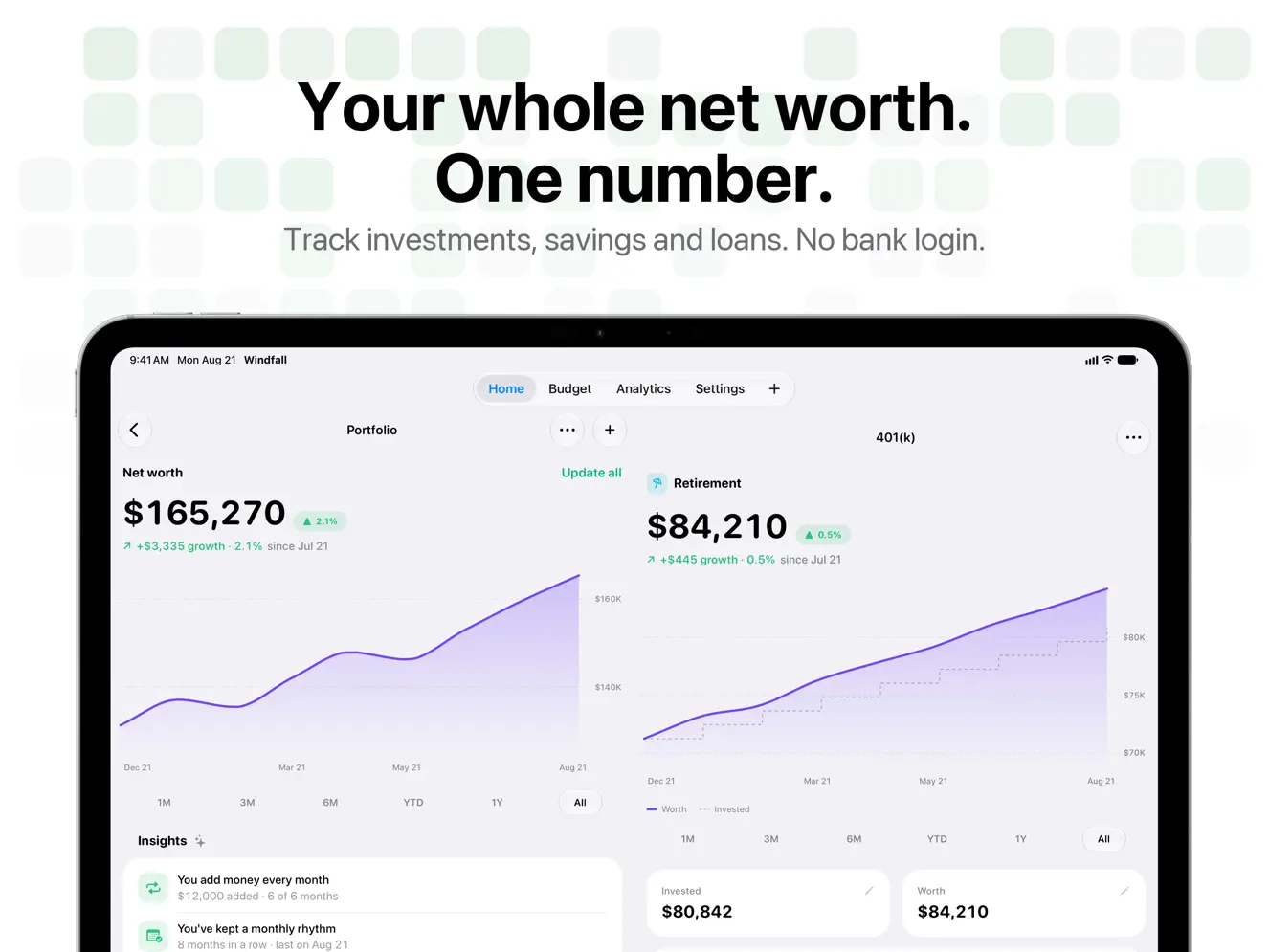
Meet Portfolio: your net worth, in Windfall. • Track what you own and what you owe: funds, stocks, retirement, cash, loans, and credit cards. You enter the values, so there's no bank login • See your net worth over time, with the money you added kept apart from growth • Update All walks you through every value in about a minute, and a reminder nudges you when it's been a while • Insights about your saving habits, written on your device with Apple Intelligence • A Net Worth widget for your Home Screen (Pro) • Home has a new pager: swipe between Portfolio, Activity Heat Map, Spending Trend, and Monthly Summary, and choose which ones appear in Settings Two assets and two liabilities are free. Pro tracks as many as you like.
| Size | 62.6 MB |
|---|---|
| Initial release | |
| Price | |
| Platforms | Apple Watch, iPhone, and iPad |
| Languages | English, German, Japanese, Chinese, Spanish, and Chinese |
| Category | Finance |
| Website | trywindfall.app |
| Compatibility | |
|---|---|
| iPhone | Requires iOS 26.0 or later. |
| iPad | Requires iPadOS 26.0 or later. |
| Mac | Requires macOS 26.0 or later and a Mac with Apple M1 chip or later. |
| Apple Vision | Requires visionOS 26.0 or later. |
| Apple Watch | Requires watchOS 26.0 or later. |
LaTeX, Markdown flash cards
AdApp's data is regularly updated.
Last update:

Bill & Subscription Manager

Money & Spending Tracker

Analyze your finances locally
Check Register + Money Tracker

Budget Planner, Bills & Money
Track Spending, Manage Finance