
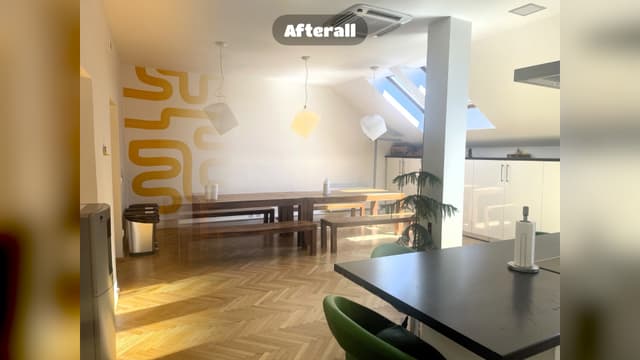
Afterall Photo makes the "before and after" actually line up. When you come back to photograph your progress — weeks or months later — the app draws your earlier photo straight onto the live camera as a see-through ghost. Move until the two match, and shoot. A slider sets how strong the ghost is, so you can fade it back once you are close. That one trick is the whole point: an after shot taken from the same spot, at the same angle, turns a pile of photos into a result worth showing. WHAT YOU DO WITH IT • Start a project for each thing you're tracking — a garden, a room, a restoration, a new look • Shoot the before, then line up every later photo against it • Split a project into spots: every room of a refurbishment, each with its own before, after and ghost (Pro) • Line up selfies with the front camera, at the same zoom as your before • Hold the phone as you did for your earlier photo, with the tilt guide (Pro) • Prop the phone up and use the self-timer or a Bluetooth remote, so a tap can't knock it out of line • Pick which photo the ghost shows: the most recent, or any earlier one • Lock a project to portrait or landscape so the set stays consistent EXPORT THE TRANSFORMATION • Animated GIF or video that crossfades from before to after • A Reveal: a wipe that sweeps from the before to the after • Every export ends on the result, and can play the change up to four times • Side-by-side stills • PDF job report for clients and insurers (Pro) MAKE IT YOURS • Date stamps, captions and the Afterall mark on any corner of the frame • Your own logo as a watermark, or no watermark at all (Pro) • Nine transition styles and a speed you set (Pro adds eight of them) • A soft, feathered wipe edge (Pro) • Square, 4:5 and 9:16 shapes for Stories, Reels and the feed (Pro) WHO IT IS FOR Gardeners watching a border fill in. Builders and decorators showing a client the difference, room by room. Anyone trying a new look — a haircut, makeup, a fresh tattoo. Fitness progress, month by month. Restorers of furniture, bikes and cars. Anyone who has ever taken an "after" photo and found it did not match the before. FREE AND PRO Free gives you 2 photos per project, GIF, video, Reveal and side-by-side export, date stamps and automatic captions. Afterall Pro is one purchase, once — no subscription: • 10 photos per project • Spots: several viewpoints in one project • HD and full-resolution export • Your own logo, or a clean frame with no watermark • PDF job reports • Eight more transition styles and a soft wipe edge • Custom captions on each photo • Square, 4:5 and 9:16 export shapes • A tilt guide that matches how you held the phone • Import as many photos from your library as you like • Save the untouched original photo NOTHING LEAVES YOUR PHONE There is no account, no sign-up and no server. Afterall Photo has no networking of any kind: your photos and projects stay in the app, and the only time anything goes anywhere is when you tap share or save. Back your projects up to a file whenever you like, and restore them on a new phone.
| Size | 3.7 MB |
|---|---|
| Initial release | |
| Price | |
| Platforms | iPhone |
| Languages | English |
| Category | Photo & Video |
| Compatibility | |
|---|---|
| iPhone | Requires iOS 17.0 or later. |
App's data is regularly updated.
Last update:


Spots: one project can now hold every room of a refurbishment or every corner of a garden, each with its own before, after and ghost. • Spots (Pro). Tap ⋯ on a photo and choose Start New Spot Here. Each spot gets its own Before and After labels, Take Next Photo asks which spot you're shooting, and the camera ghosts that spot's photo. The Reveal plays every spot in turn, and Side by Side puts them together in one image. • GIFs, videos and Reveals now end on your after photo instead of going back to the before. A new repeat dial next to the speed slider plays the change up to four times. • Move the Afterall mark to any corner or edge in Options → Branding. Top left keeps it clear of the mute button on Instagram and LinkedIn. • Deleting a photo or a project now asks first. With Pro, it offers to save the originals to Photos before they go. • Soft Wipe Edge (Pro): a feathered band instead of the white line, for the Reveal and the wipe transitions. The Reveal also follows the wipe direction you pick. • Got an Afterall Pro code? Tap Go Pro on the Projects screen, then Redeem a Code. • Send Feedback, in Options, opens an email straight to the developer.

Video grid maker, before/after

Duplicate Photos, Free Space

Add backgrounds & shadows

Declutter your camera roll

RAW, film looks & AI masks
Posters, Frames & Calendars

