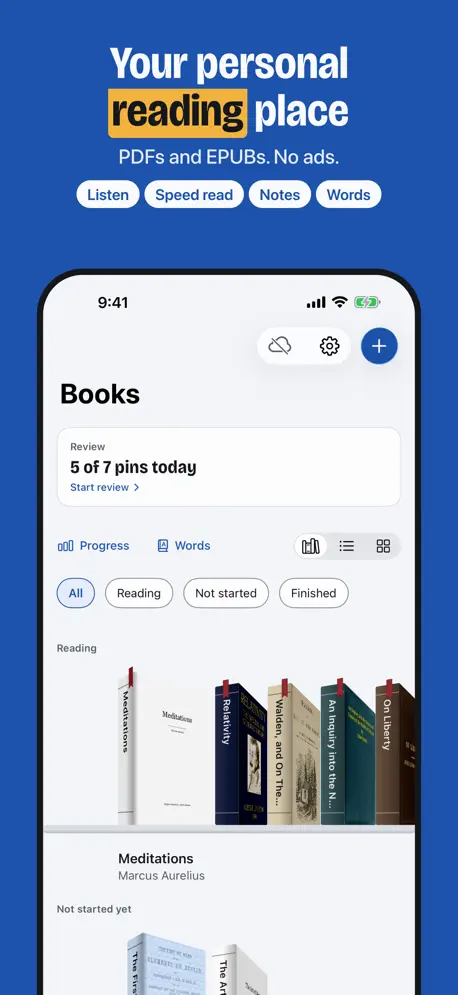


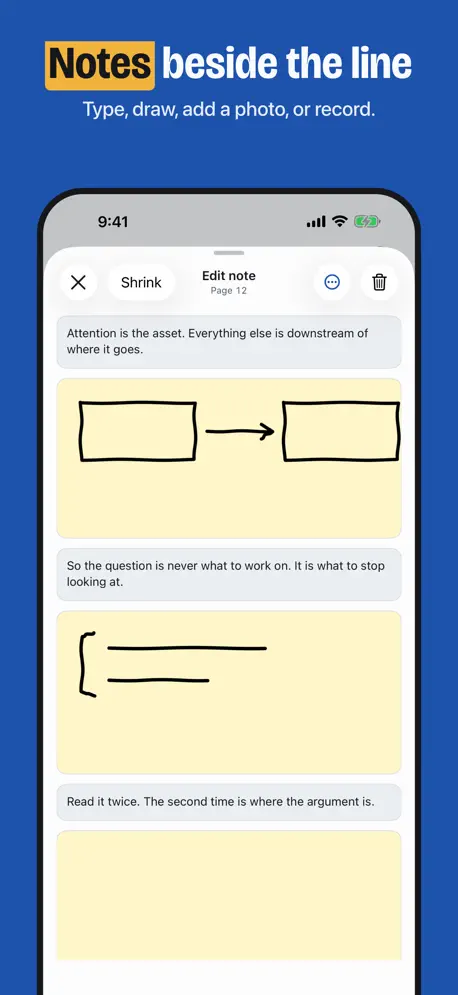


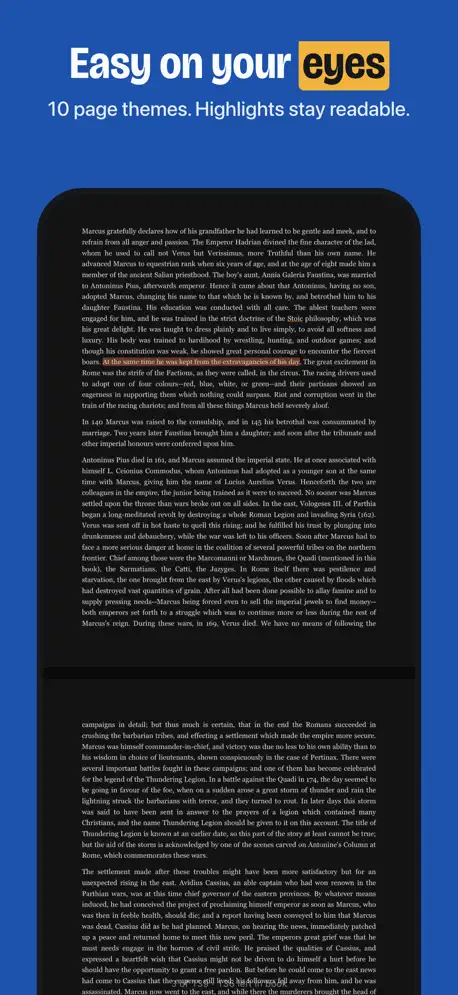
Helicon reads your PDFs and EPUBs with you. Pin a note in the margin, speed read with a guide that lights the next words, or listen: Helicon reads the book aloud with natural voices that run on your device, so it works offline. Helicon is new, and we improve it every week. Every feature is free to use. Tell us what to fix from the Feedback button in the app. Helicon is a reader for the non-fiction you want to keep. Open a PDF or an EPUB, pin notes in the margin, and meet what mattered again a few days later. Helicon is free. Every feature, every pin. No account, no ads. NOTES IN THE MARGIN Long press the margin to pin a note beside the line it is about. Type in it, draw in it with Apple Pencil or a finger, add a photo, or record your voice. Tap the pin and the note opens where you left it. MARK WHAT MATTERS Select text to highlight it or look it up. Save a line as a pin: a claim, a term or a question. A pin asks for one sentence in your own words, so you keep fewer marks, and better ones. Write on a PDF with Apple Pencil, with inks, shapes, a ruler and an eraser. Snip a figure out of a page. READ FASTER Speed read lights a line, a group of words, or both, and moves at your pace. It opens paused on the first line in view: tap a line to begin there, then tap Play. Change the pace in steps of 5, 10 or 25 words a minute. It waits while the page scrolls, so your eyes can find the line, and the screen stays on while it runs. MEET IT AGAIN Review brings back the pins that are due. Not yet brings one back tomorrow. Got it spaces it out. Jump to the page from any card. KEEP YOUR PLACE Helicon keeps your page, your zoom and your place on the page. Pick from 5 light and 5 dark page themes. Your library syncs between iPhone and iPad through your own iCloud. Search finds the author's words and your own. Export a book's pins as Markdown, to anywhere the share sheet reaches. WHAT IT DOES NOT DO There is no account and no sign-up. There is no Helicon server: your books and notes stay on your devices and in your own iCloud. Helicon counts which features are used, and never sends a title or anything you write. There are no ads. Crash reports come from Apple's own system, are written to a file on your device, and are sent only if you choose to send one. TERMS Terms of Use (EULA): https://www.apple.com/legal/internet-services/itunes/dev/stdeula/ Privacy Policy: https://helicon.pages.dev/privacy
Sign in, Listen, faster speed reading, and a way to support Helicon. - Sign in with Apple or with your email. Sign out and Delete account are in Settings. - Listen reads a PDF or an EPUB aloud, in natural voices that run on your device, or in an Apple voice. The line being read is lit, and the page follows it. - Listen starts at the first sentence on your screen, and starts sooner in long chapters. Tap a line to move the voice there. It keeps reading when you lock the screen. - Look up a word while you listen or speed read. Save it, and send your words to Terminus as flashcards. - Speed reading pauses at sentence ends, changes pace in steps of 5 words a minute, and works in EPUB books. Grow with the pace raises your speed toward a goal you set. - Calm beat sounds for reading at night: Hum, Breath, Felt and Chime. - Apple Pencil pauses speed reading and moves it to a line, the same as a finger. - An EPUB shows the pages and minutes left in the chapter. - Two new page themes: Parchment for the day and Graphite for the night. - A PDF reopens on the exact spot you left, also after you turn the device. - Review is now in Settings > Reading. - Support Helicon each month or once, from the card on your shelf. Each tier names its thank-you gifts: a gold heart, gold ribbons, two app icons, two page colours, a Bell beat and a gold shelf edge. The gifts change only how Helicon looks and sounds; every reading feature works for everyone. - Fixes: highlights show on dark pages, note pins stay beside their line, and the app opens fast.
| Size | 64 MB |
|---|---|
| Initial release | |
| Price | |
| Platforms | iPhone and iPad |
| Languages | English |
| Category | Productivity |
| Website | helicon.pages.dev |
| Compatibility | |
|---|---|
| iPhone | Requires iOS 26.0 or later. |
| iPad | Requires iPadOS 26.0 or later. |
| Mac | Requires macOS 26.0 or later and a Mac with Apple M1 chip or later. |
| Apple Vision | Requires visionOS 26.0 or later. |
Edit Research Documents/Books

EPUB, PDF & Comic Book Library
Faster Book & Article Reader

Simple reading log & shelves
Bookshelf, Notes & Quotes

Technical books & code
LaTeX, Markdown flash cards
AdApp's data is regularly updated.
Last update: