
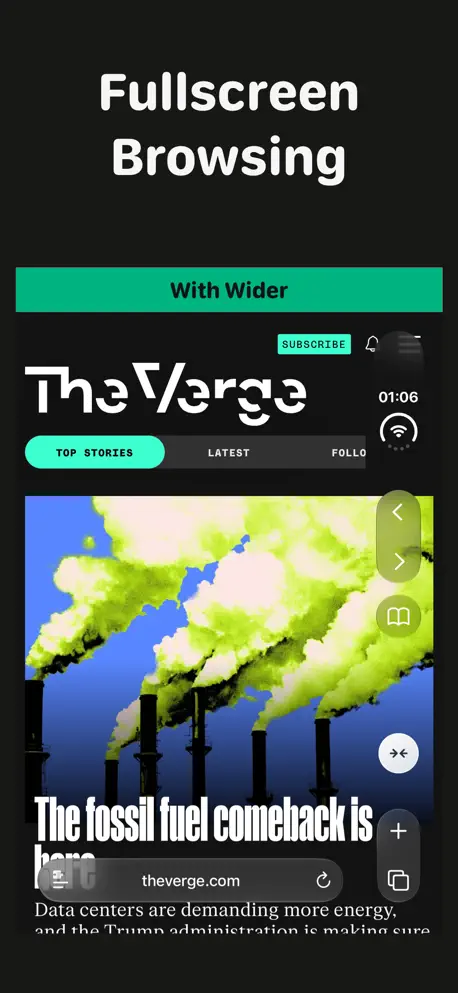

If you want to use the full width of your iPhone Duo's external screen in Safari, use Wider. It's a simple extension that lets you quickly toggle websites into full width mode. Use the Wider toggle button in the right navbar to quickly toggle between normal an Wider mode. Wider doesn't work on every website. If a website doesn't work as expected, you can report it through the app and I'll try to improve compatibility.
Thanks for all the great feedback This update fixes some of the initial feedback I received, and makes it easier to submit feedback for websites that are broken. Wider now supports 11 languages. You can report website problems directly from the Safari extension menu. This update also improves website compatibility and makes the Wider button behave more reliably. The next update will add more approaches for handling content that goes underneath the camera, I hope it’s out by the start of next week! - Jordi
| Size | 4.3 MB |
|---|---|
| Initial release | |
| Price | Free |
| Platforms | iPhone |
| Languages | Dutch, English, French, German, Italian, Japanese, Korean, Portuguese, and 3 more |
| Category | Utilities |
| Website | getwider.app |
| Compatibility | |
|---|---|
| iPhone | Requires iOS 27.1 or later. |

Voice, Speech, Audio Dictation

Less Replaying, More Replying

Gluten, Health & Food Check

Captions and Transcription

Straight Back, Neck & Shoulder

Movie Wallpaper for Lockscreen

Counter, Reminders & Widgets
Double your Brightness, System-Wide 🔆

View Photos of Food Dishes

Design assets and screenshots

Text to Speech for phone calls

Plan your runs by drawing them
LaTeX, Markdown flash cards
AdApp's data is regularly updated.
Last update: