
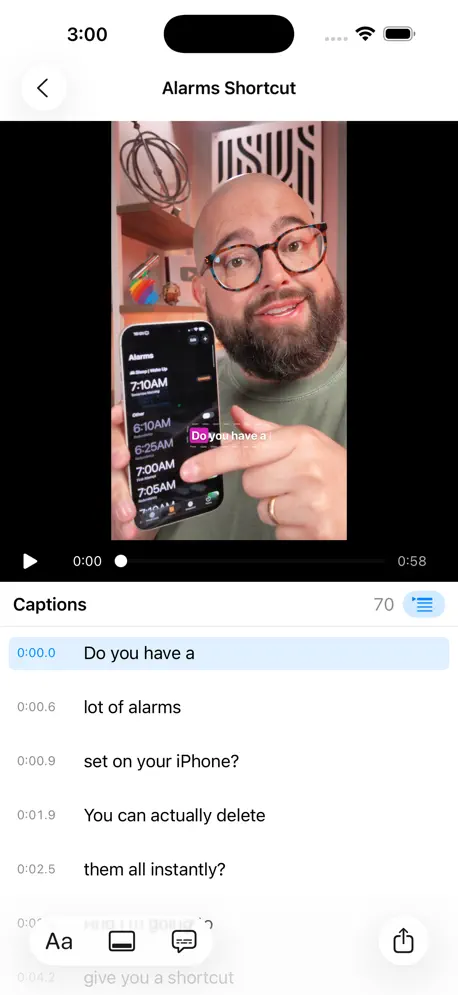
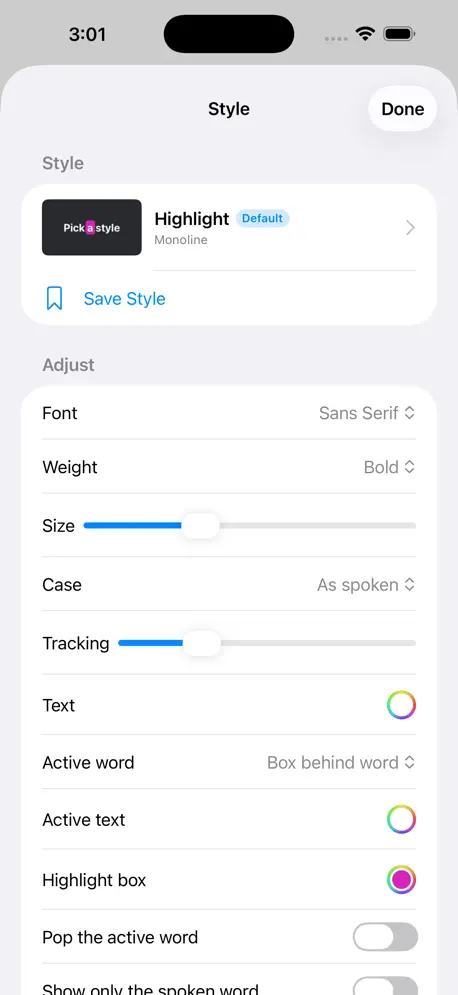
Captioner adds animated, word-by-word captions to your videos, entirely on your device. Drop in a clip, pick a style, fix any word, and export a new video with the captions burned in. Nothing is uploaded, there is no account, and it's free. WORD BY WORD Captioner listens to your video with Apple's on-device speech engine and keeps the moment every word is spoken, so the word being said lights up as it's said. Perfect for Reels, Shorts, TikTok and any video watched with the sound off. FIFTEEN STYLES, ALL YOURS TO CHANGE Highlight boxes, outlines, karaoke colors, pops, typewriter reveals, boxed subtitles, and single-word styles that show only the spoken word. Every style's font, weight, size, case, colors, outline, shadow and animation can be changed. Use San Francisco in sans serif, rounded, serif or monospaced designs, any font on your device, or a font file you add. Save your own styles and make one the default for every new video. PUT THEM WHERE YOU WANT Drag the caption in the preview, or set a vertical position and left, center or right alignment. Vertical 9:16 and widescreen 16:9 videos each remember their own spot. FIX THE WORDS Every caption is editable next to the preview. Split a line before any word, merge two, delete one, or rebuild from the original recognition. Punctuation, title case and curse words are simple toggles. TRANSLATE Turn the captions into Spanish, French, German, Portuguese, Japanese, Chinese and dozens more with Apple's on-device translation, keeping them timed to the original speech. YOUR VIDEO, UNTOUCHED Exports keep the original resolution and frame rate, and the audio is copied exactly as it was. H.264 by default, HEVC if you prefer. Already have an SRT or WebVTT file? Use it instead of transcribing. PRIVATE BY DESIGN Speech recognition, translation and rendering all happen on your device. Captioner has no account, no analytics and no tracking. The first time you caption a language, the system downloads Apple's speech model for it; after that it works offline. Captioner for Mac adds batch queues and watched folders that caption and export videos automatically.
| Size | 9.4 MB |
|---|---|
| Initial release | |
| Price | Free |
| Platforms | Mac, iPhone, and iPad |
| Languages | English |
| Category | Photo & Video |
| Website | beardfm.app/captioner |
| Compatibility | |
|---|---|
| iPhone | Requires iOS 26.0 or later. |
| iPad | Requires iPadOS 26.0 or later. |
| Mac | Requires macOS 26.0 or later. |
| Apple Vision | Requires visionOS 26.0 or later. |
App's data is regularly updated.
Last update:
Timeline • A timeline runs across the bottom of the editor: the captions as blocks over a filmstrip of the video, with the playhead through both. Drag a block to move a caption, or drag either edge to change how long it stays on screen. Blocks stop at their neighbours and snap to them and to the playhead, and the words inside keep their timing in proportion. • Tap a block (click on the Mac) to select it in the list and jump there. Long-press on iPhone and iPad, or right-click on the Mac, to edit its timing or delete it. Drag the ruler to scrub. • Pinch to zoom on iPhone and iPad; on the Mac and iPad there is also a −/+ slider, and the Mac zooms with ⌘-scroll. Hide and show the timeline from the toolbar (or View ▸ Show Timeline, ⌥⌘T on the Mac), and drag the handle above it on the Mac to change its height.



Automatic subtitles generator

Capture & caption in one take

Subtitle anything

Resync & translate subtitles

Add text to images and gifs!

Video grid maker, before/after


